You're halfway through a job, your hands are full, and the phone starts ringing again. If you answer, you break focus. If you let it go, you know there's a decent chance it was someone ready to book, ask for pricing, or see if you can get out there today.
That's the fundamental problem behind all the talk about My AI Front Desk and AI receptionists in general. It's not about replacing people with tech. It's about stopping the daily mess of missed calls, interruptions, and sloppy handoffs that cost you jobs.
The fix is simpler than people think. Set up an AI front desk around your real workflow, not around a long feature list.
What you'll get from this guide:
How to fit an AI receptionist into your actual day without adding cleanup work
How to set up call flows, booking, and transfers so leads don't stall
How to stay in control with transcripts, recordings, and mobile access
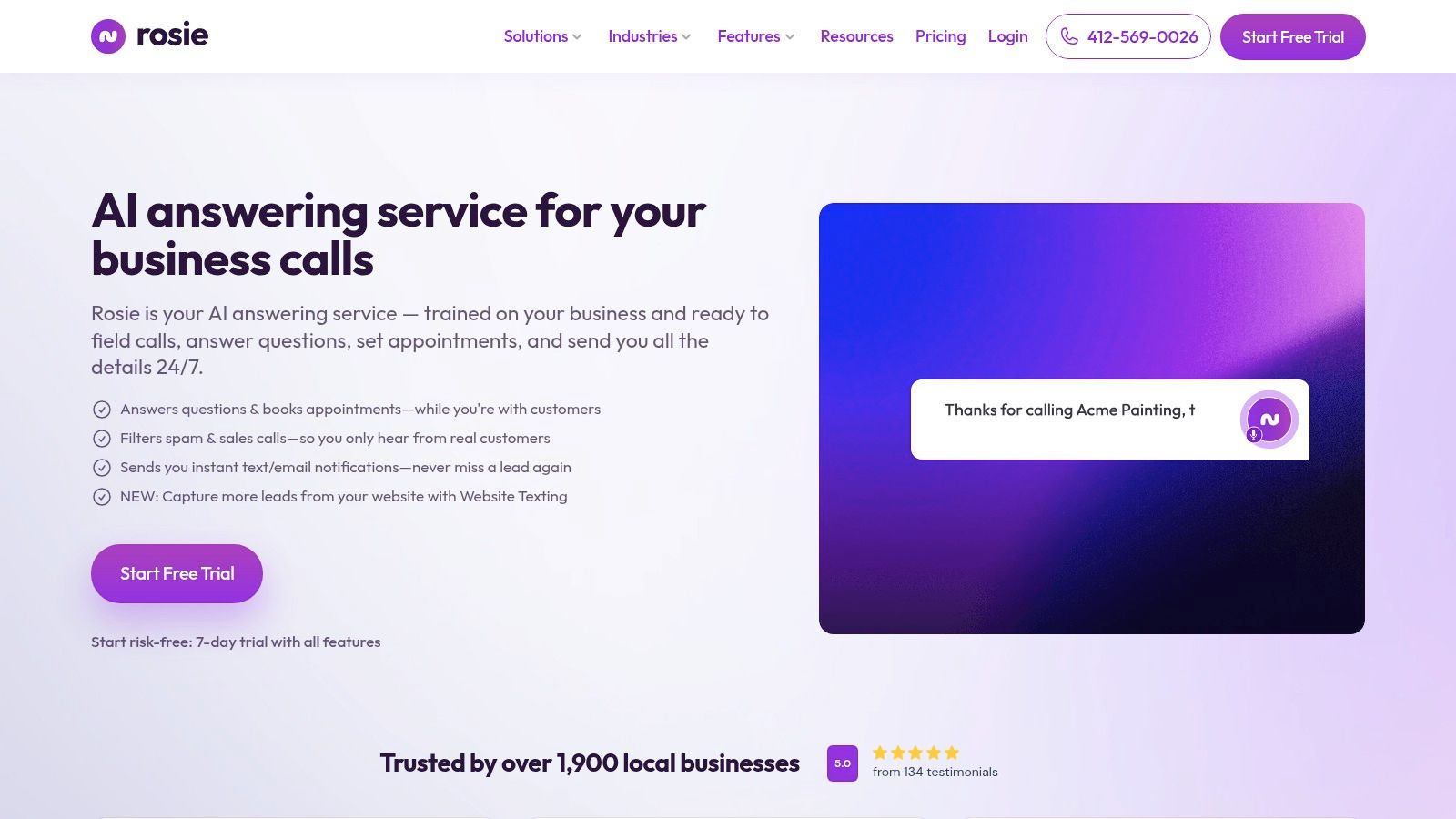
If you want to test a setup built for small business call handling, you can start an account with Rosie and see how it fits your current phone workflow.
Table of Contents
The real cost of a ringing phone
The phone doesn't just interrupt your day. It breaks your whole workflow.
If you're on a ladder, under a sink, walking a property, with a client, or driving between jobs, every ring forces a choice. Stop what you're doing or risk losing the lead. Over time, that turns into stress, rushed calls, and a business that feels like it can't run unless you personally jump every time the phone lights up.
When the phone rings at the worst time
Francisco Fierro of Iron Volt Electric put it plainly: “Before Rosie, missed calls meant missed jobs. When the crew is out in the field all day, no one can stop to answer the phone... Now I don't have to stress about missed calls. Rosie picks up automatically so every caller gets a response even when we're tied up on a job.”
That's the pain in one sentence. Missed calls don't stay on the phone log. They turn into missed estimates, missed appointments, and slow weeks that didn't need to happen.
Independent call-analysis data found that 28.5% of inbound calls arrive after hours and 36.9% of calls contained buying intent, including pricing, scheduling, or availability questions, according to this AI receptionist statistics breakdown.
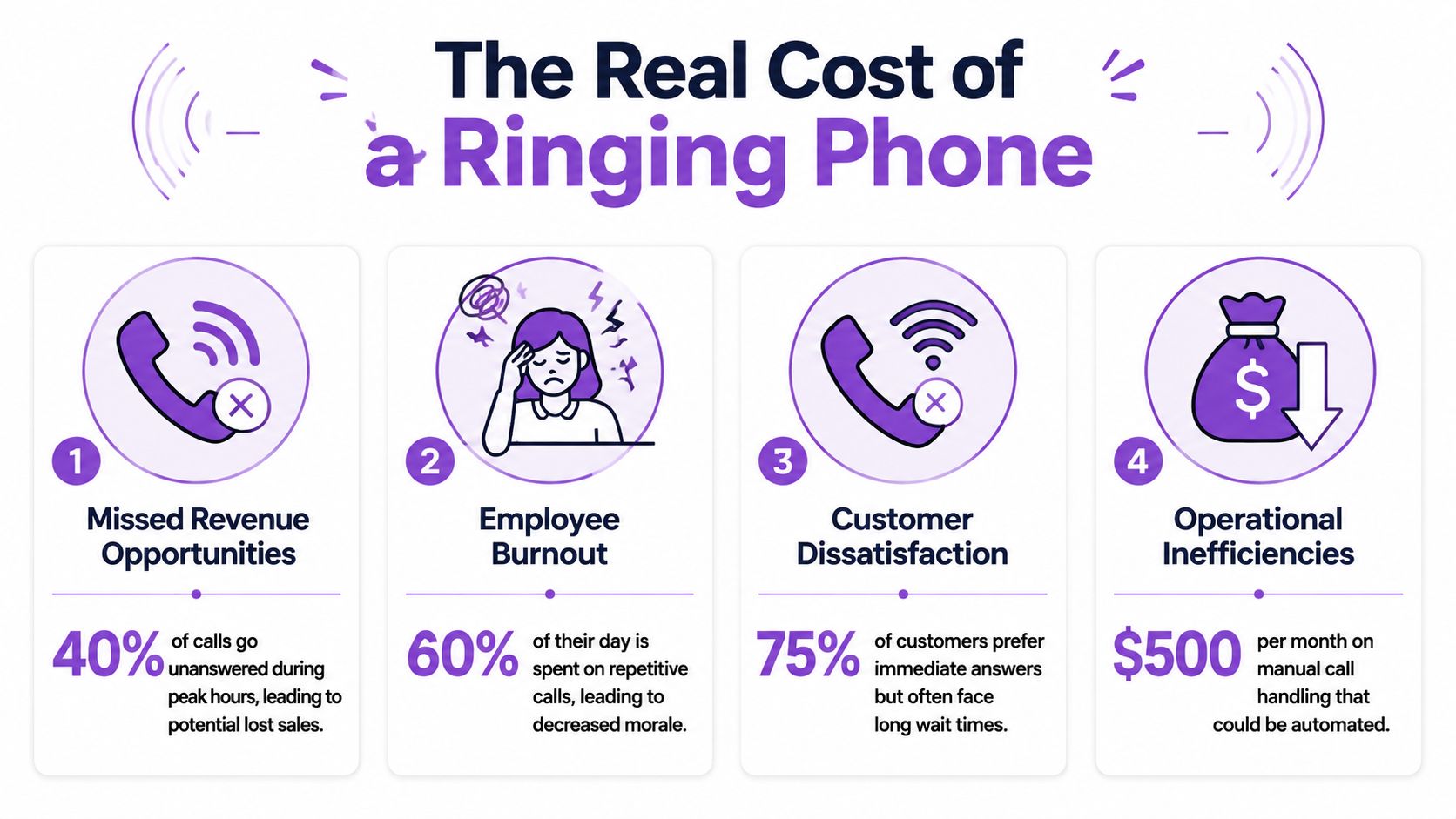
That's why a ringing phone creates more damage than most owners admit. It's not only the calls you miss. It's the jobs you do while distracted because you're trying to be technician, estimator, dispatcher, and receptionist at the same time.
If you're comparing options, Estimatty has a useful guide to virtual receptionists for growth that helps frame the bigger decision around missed calls and customer response.
Why voicemail doesn't fix the problem
Voicemail is better than nothing. It's still a weak system.
A buyer who wants a price, an appointment, or a same-day answer usually doesn't feel like leaving a detailed message and waiting around. They call the next shop. And when callers do leave a message, you still have to listen, sort out spam, call back, and redo the discovery process from scratch.
Practical rule: If your phone setup creates more callbacks, more tag, and more note-taking, it's not solving the problem. It's moving the problem to later.
A lot of owners searching for My AI Front Desk are really searching for control. They want fewer abandoned calls, fewer interruptions, and cleaner lead capture. If that's the issue you're feeling, it helps to understand what call abandonment does to your pipeline before you change anything.
Your guide to getting started with Rosie
The biggest mistake here is overbuilding it on day one.
You do not need a giant script, a dozen branches, and every edge case mapped out before you turn anything on. The fastest setups usually start with the basics, get real calls flowing through, then tighten things up from there.
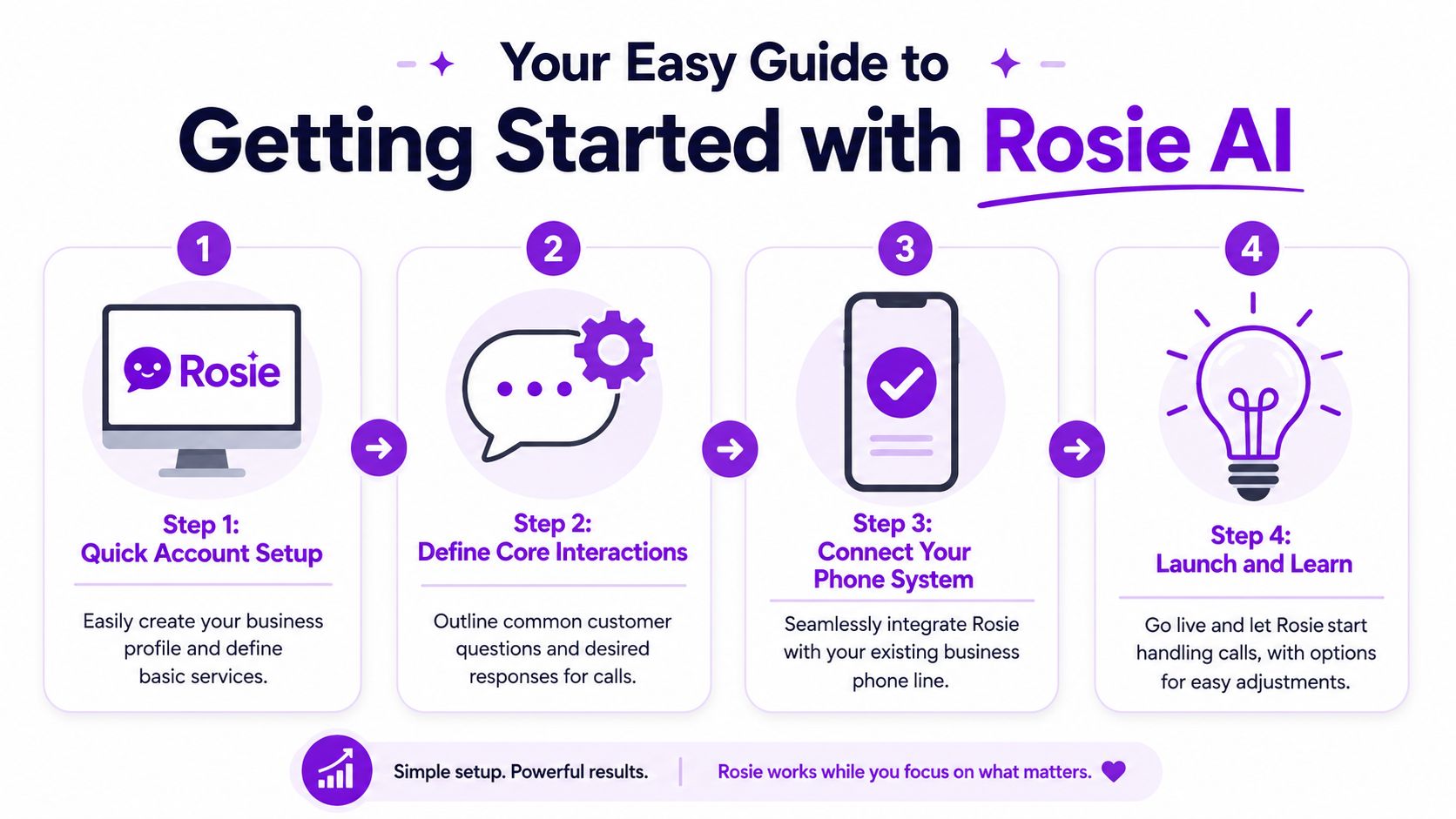
Start with the basics first
Begin with your business facts.
That means your hours, service areas, main services, basic pricing approach if you share it, and how you want new leads handled. If you run an HVAC company, that may be different from a realtor or auto shop. The point is to give the system the same core info a solid front desk person would need in the first hour.
Keep the first version tight:
Business identity: Name, location, service area, and the kinds of jobs you take
Call priorities: New lead, existing customer, urgent issue, vendor, spam
Basic outcomes: Book, transfer, collect lead info, or take a message
Daniel Terner of Terner Elder Law, P.L. said, “It can't be easy to develop a product that is both super-configurable yet also easy to use, Rosie strikes this balance extremely well. My clients are happy and I'm happy, it's a win/win.”
Let the system learn your business
Setup gets easier than most owners expect.
Instead of hand-writing every possible answer, you can have the system scan your website or Google Business Profile, then use that as a starting point for the knowledge it uses on calls. That gives you a base layer fast, especially for common questions about services, office hours, neighborhoods served, or what kinds of appointments you take.
The trick is not to assume scanned content is automatically perfect. Read through your live business info first. If your website still shows old hours, old offers, or outdated service details, fix that before you rely on it.
Good setups start with accurate public info. Bad setups start with stale websites.
Add the questions that matter most
After the basics, add a small set of FAQs you know come up all the time.
Think like your customers, not like your industry. They don't ask “What are your service categories?” They ask, “Do you work weekends?” “How much is the service call?” “Can someone come today?” “Do you serve my zip code?” “Can I text photos?”
A short starter list works well:
Pricing questions that come up constantly
Scheduling questions about availability and next steps
Policy questions like deposits, cancellations, or service area
Urgent call rules for what should transfer right away
That first setup should feel usable, not perfect.
Customizing Rosie to work like your best employee
An AI front desk becomes useful or annoying.
If you leave it generic, it acts generic. If you shape it around your real inbound calls, it starts doing the work you wanted off your plate in the first place.
Build around your highest-volume calls
Independent implementation guidance says a common failure is misaligning the AI with your source-of-truth systems. The better approach is to identify your highest-volume tasks, define those conversation flows, connect calendars, and test handoff logic before rollout, as explained in this implementation guide for an AI front desk.
That lines up with what works in practice.
Don't start by trying to automate every weird situation. Start with the calls you already hear all day:
Call type | What the front desk should do |
|---|---|
Hours and location | Answer directly |
Pricing and service questions | Qualify and explain next step |
New booking request | Collect details and move to scheduling |
Existing customer issue | Route based on urgency |
Sales and robocalls | Filter out |
If you're evaluating My AI Front Desk against other tools, this is one of the most important questions to ask. Not “Can it answer the phone?” Almost all of them can. Ask whether it can follow the exact path you want for your most common calls.
Set booking and transfer rules carefully
Booking is where convenience turns into revenue.
Jason Aleman of Gutter Cowboy said, “People tell me all the time, you're really easy to do business with. I called, I got the link sent to me, the pricing was there, I booked an appointment and you showed up to the job.”
That happened because the handoff was clean.
Set rules for what should happen on different calls:
Routine appointments: Send the booking link or place directly into scheduling flow
Hot leads: Capture details before the caller drops off
Urgent situations: Transfer to an on-call number or priority line
Edge cases: Take a complete message with the reason for the call
If a caller has to repeat themselves to the owner after talking to the AI, your workflow still needs work.
Use filtering so your team only gets real calls
Not every incoming call deserves your attention.
Spam, robocalls, and junk leads chew up time and make owners distrust any system that forwards too much noise. Filtering matters because your front desk should reduce interruptions, not create fresh ones.
Ford Wright of Pacific Power Washers said, “We have tried other AI receptionists, but they sounded robotic and worse, misspelled contact info, making it worthless.”
That's why customization isn't only about sounding nice. It's about collecting clean names, numbers, job details, and intent, then sending your team something they can act on.
Making your AI front desk truly bilingual
In a lot of markets, bilingual call handling isn't a nice extra. It decides whether a lead stays with you or moves on.
Why bilingual call handling changes the game
If part of your customer base speaks Spanish, an English-only phone experience creates friction right at the start. People may hang up, hand the phone to someone else, or skip calling altogether if they think they won't be understood.
A bilingual front desk fixes that without forcing you to hire separate coverage just to answer first-touch calls in two languages. That matters for home services, property management, auto repair, clinics, and any local business serving mixed neighborhoods.
If that's important in your market, look at how a bilingual answering service fits into your call flow before you worry about advanced features. Capturing the call in the caller's preferred language is often the first win.
Short version. If callers can ask for pricing, availability, and next steps in English or Spanish, you stop losing easy opportunities for avoidable reasons.
Managing your calls and leads on the go
A good AI front desk should not feel like a black box.
You need to know what it said, what the caller asked for, and whether the next step happened. That's what makes owners trust the system enough to stop hovering over the phone.
Stay close to the conversation without being tied to the phone
The daily win is simple. You can be out in the field and still know what came in.
With a mobile setup, you can check conversations, see summaries, review missed opportunities, and decide what needs a callback without standing at the front desk or logging into a desktop every time. For busy owners, that matters more than fancy AI language.
If you want that kind of control, the Rosie mobile app is one example of how teams monitor calls while moving between jobs, properties, or appointments.
Make audit trails part of the workflow
Here, operational trust gets built.
Independent coverage has pointed out that buyers care about what happens after the AI answers, and that clear audit trails like transcripts and recordings matter because the value is reduced interruption and more consistent call logging, not just cost savings, as discussed in MEDENT's workflow-focused AI coverage.
Dean Konstantine from McKnight said, “What we love most is how it captures every call and delivers both a full dialog transcript AND the actual recording straight to us. No more wondering what was said or missing important details. Everything is documented perfectly, every time. Our whole team is obsessed with this feature.”
That's the difference between automation that helps and automation that creates cleanup. If your staff can review the conversation, check what was captured, and confirm the handoff, they'll use it. If they can't, they'll work around it.
Connect the front desk to the rest of the business
The handoff matters more than the answer.
A front desk that captures a lead but leaves it stranded in email isn't doing enough. The useful setup is the one that pushes the right info into the places your team already works, whether that's a CRM, booking calendar, dispatch board, or shared inbox.
For real estate teams especially, this becomes a workflow problem fast. A good real estate CRM integration guide is helpful if you're trying to keep inquiry data from getting lost between call intake and follow-up.
A short checklist helps here:
Route lead details to the tool your team uses
Tag the intent so staff knows whether it's a quote request, scheduling issue, or support call
Keep transcripts available so nobody has to reconstruct the conversation later
Best practices for your AI front desk
Once it's live, the main work is small adjustments.
You don't need to babysit every call forever. You do need to listen early, tighten weak spots, and decide which conversations belong with AI and which should always go to a person.
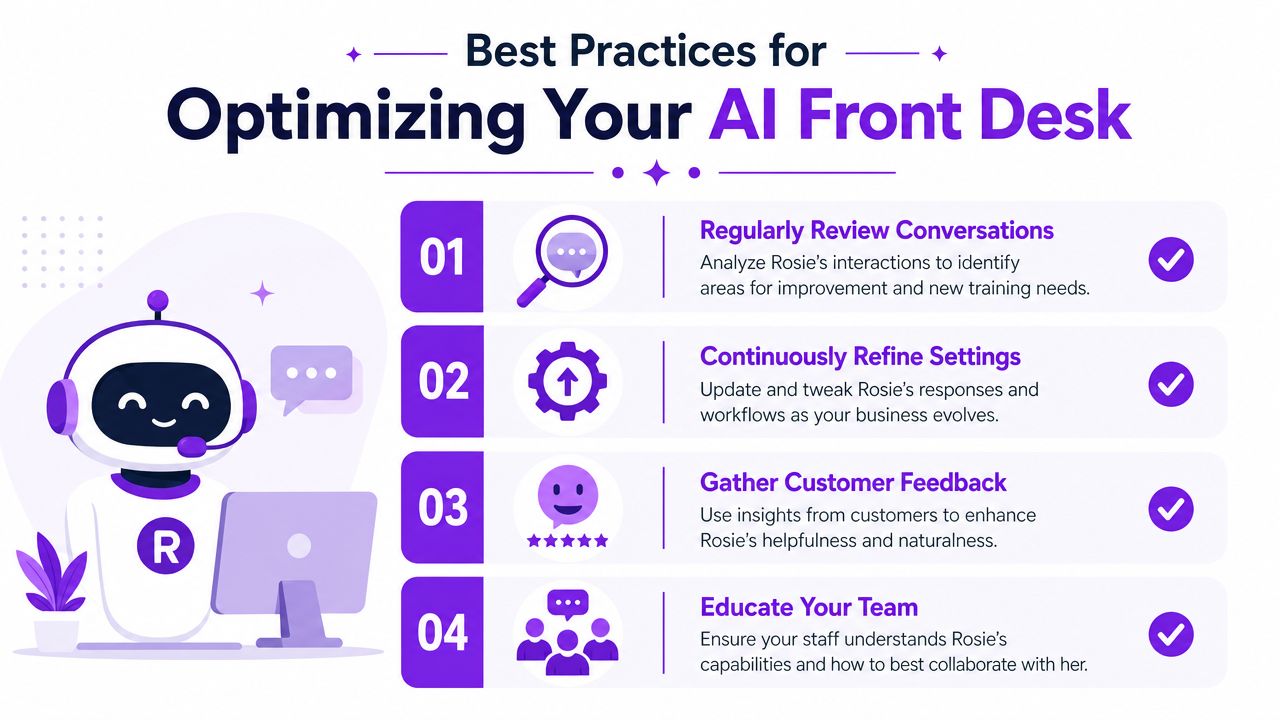
Review the first week closely
The first batch of calls will show you everything.
You'll hear the questions you forgot to include. You'll spot transfer rules that are too aggressive or too weak. You'll notice whether callers are getting the right next step fast enough.
Use that first week to adjust:
Tighten answers: Fix anything vague, outdated, or too wordy
Catch missing questions: Add the calls customers keep repeating
Check handoffs: Make sure urgent calls and hot leads go where they should
Listen for friction, not perfection. If callers get answers and your staff gets clean notes, you're on the right track.
Automate the repeatable stuff and protect the hard calls
Benchmark data suggests AI front-desk systems can absorb up to 70% of call volume while maintaining high customer satisfaction, but the same guidance says they work best on repetitive requests and still need warm transfer for complex or emotionally charged calls, according to Telnyx's healthcare front desk automation benchmarks.
That's a strong operating rule for any small business.
Use the front desk for the repeatable stuff. Hours. Scheduling. Availability. Basic intake. Quote-request screening. Use people for sensitive complaints, legal matters, upset customers, unusual edge cases, and anything where judgment matters more than speed.
Use it to grow without creating chaos
Derek Goodson, Founder of Next-Level Marketing Agency, said, “She doesn't just take a name and number, she asks the right questions about what services they need... By the time I call them back, I already know exactly what they're looking for and can jump straight into offering solutions instead of spending 10 minutes on discovery. It's turned every callback into a warm conversation, and that's helped me maintain my 95%+ conversion rate on consultations.”
He also said, “Rosie has given me the capacity to scale without hiring, which as a solo operator trying to build sustainable monthly recurring revenue, is exactly what I needed.”
That's the ultimate payoff. Capacity.
If you're thinking through this as part of a bigger operations cleanup, it can help to read examples of optimizing GTM processes and business workflows more broadly. The useful mindset is the same. Automate the repeatable work, keep visibility high, and protect the moments where a person still needs to step in.
Frequently asked questions about my AI front desk
Will customers know they're talking to AI
Sometimes yes, sometimes no.
Edgar Quinteros, Owner of The Copier Guy, said, “The response with callers is so real, sometimes customers don't know it's AI.” In practice, what matters more is whether the caller gets a fast, accurate answer and a clear next step. If the conversation sounds natural and the handoff is clean, most callers care more about getting help than the underlying system.
Can it handle multiple locations or teams
Yes, if you set up the routing logic around how your business runs.
The mistake is treating all locations the same when hours, staff, service areas, or appointment rules are different. Keep each location's details accurate and make sure transfers, booking rules, and FAQs match the right team.
What happens when a call is urgent or complicated
Those calls should not stay trapped in automation.
Set clear transfer thresholds. Emergency service, emotionally charged calls, policy-sensitive questions, and anything unusual should move to a person fast. The AI should gather context first, then pass the call or the details along so your team doesn't start cold.
If your phone is costing you focus, missed leads, and too many callbacks, Rosie is worth a look. It answers calls, qualifies leads, answers questions from your business knowledge, books appointments, and transfers calls, so your front desk acts more like an extension of the team and less like another inbox to manage.