It’s 7:12 on a Friday night. A technician is wrapping up a firewall change from the car, the phone rings, and the client on the other end cannot access email. The call goes to voicemail. Ten minutes later, they are calling another provider because they do not know whether this is a minor issue or the start of a real outage.
That is the pressure point for an IT company. A missed call is not just a missed message. It can be a lost lead, an unmanaged incident, a security concern, or a client wondering why nobody picked up during a business-critical problem.
A good answering service gives your team cover without creating more noise. It answers live, figures out why the person is calling, routes sales inquiries one way, support issues another, and pushes true emergencies into the right escalation path. For IT firms, that matters because generic call handling often breaks down the moment a caller mentions an outage, MFA lockout, ransomware concern, or after-hours server issue.
The baseline matters too. If your process still depends on voicemail and callbacks, start with a plain-English explanation of how an answering service works and then look at the IT-specific requirements that separate a message-taking service from one your clients can rely on.
A useful setup protects technician focus, captures revenue, and gives callers a clear next step when the issue cannot wait.
Table of Contents
An introduction to the problem
It is 4:47 PM on a Friday. One client is calling about a possible account lockout, another is returning a quote request, and your senior tech is elbow-deep in a firewall change that should not be interrupted. The phone keeps ringing anyway.
That is the problem.
For an IT company, inbound calls are not just receptionist work. They include outage reports, security concerns, after-hours support requests, vendor callbacks, billing questions, and new sales inquiries that still need a fast response. If those calls all hit the same line with no screening, the business starts relying on whoever happens to be available, not on a process.
That creates risk. A generic call service can take a name and number, but IT firms need tighter call handling. Someone has to recognize the difference between a routine question and a possible incident, follow clear escalation paths, and avoid collecting or repeating sensitive information the wrong way. If you need a baseline definition, here is what an answering service actually is.
I have seen this in small MSPs and growing IT support teams alike. Owners expect the phone to be covered by sheer hustle. Then a technician misses a priority call while on-site, or an after-hours caller gets dumped into voicemail during a real service disruption.
The fix is not just “answer more calls.” The fix is a front-end system that can triage, route, document, and escalate based on the realities of IT work. That matters whether your company handles help desk support, managed services, cybersecurity, or project work. It also lines up with the broader push to boost Indy business with outsourced IT, where responsiveness and operational focus often rise together.
If your current phone coverage cannot separate a password reset request from a suspected breach, it is creating avoidable pressure on the rest of your operation.
The real cost of a ringing phone

Interruptions cost more than people admit
For an IT company, a ringing phone doesn’t just ask for attention. It pulls a technician out of concentrated work.
That matters when someone is deep in endpoint cleanup, network changes, documentation, or a support chain that already has five moving parts. Even when the call is legitimate, the timing is usually terrible. You stop, switch gears, answer a question, then try to rebuild your train of thought.
That drag adds up across a week.
The phone also creates role confusion. Your engineers become receptionists. Your owner becomes dispatch. Your support lead becomes a human filter for spam, low-value inquiries, and after-hours noise.
Missed calls turn into missed trust
The more serious cost is what happens when nobody answers. A widely cited benchmark says only 37.8% of inbound calls are answered by a business, while 37.8% go to voicemail and 24.3% receive no response at all. That means nearly 62.1% of calls don’t reach a live person on the first attempt, which is a direct risk for service businesses that depend on time-sensitive inquiries and missed-call recovery, according to AMBS Call Center’s business phone stats.
For an IT company, one of those calls might not be a casual inquiry. It could be a failed login storm, a ransomware scare, or a line-of-business app outage.
If the caller gets voicemail, they don’t experience your technical ability first. They experience your availability first.
Jason Aleman of Gutter Cowboy put the pain plainly: “It’s almost every day that I lost a job due to not answering the phone. Rosie can take all of those calls and handle them appropriately.”
Different industry, same reality. The first company to answer often becomes the company that gets the chance.
That’s also why companies looking to tighten response operations often pair call handling with broader service delivery planning. If you’re reviewing how outside support fits into growth, this piece on how to boost Indy business with outsourced IT is a useful companion read.
What a specialized answering service for an IT company actually does
It qualifies new callers instead of just taking messages
A basic answering service writes down a name and number.
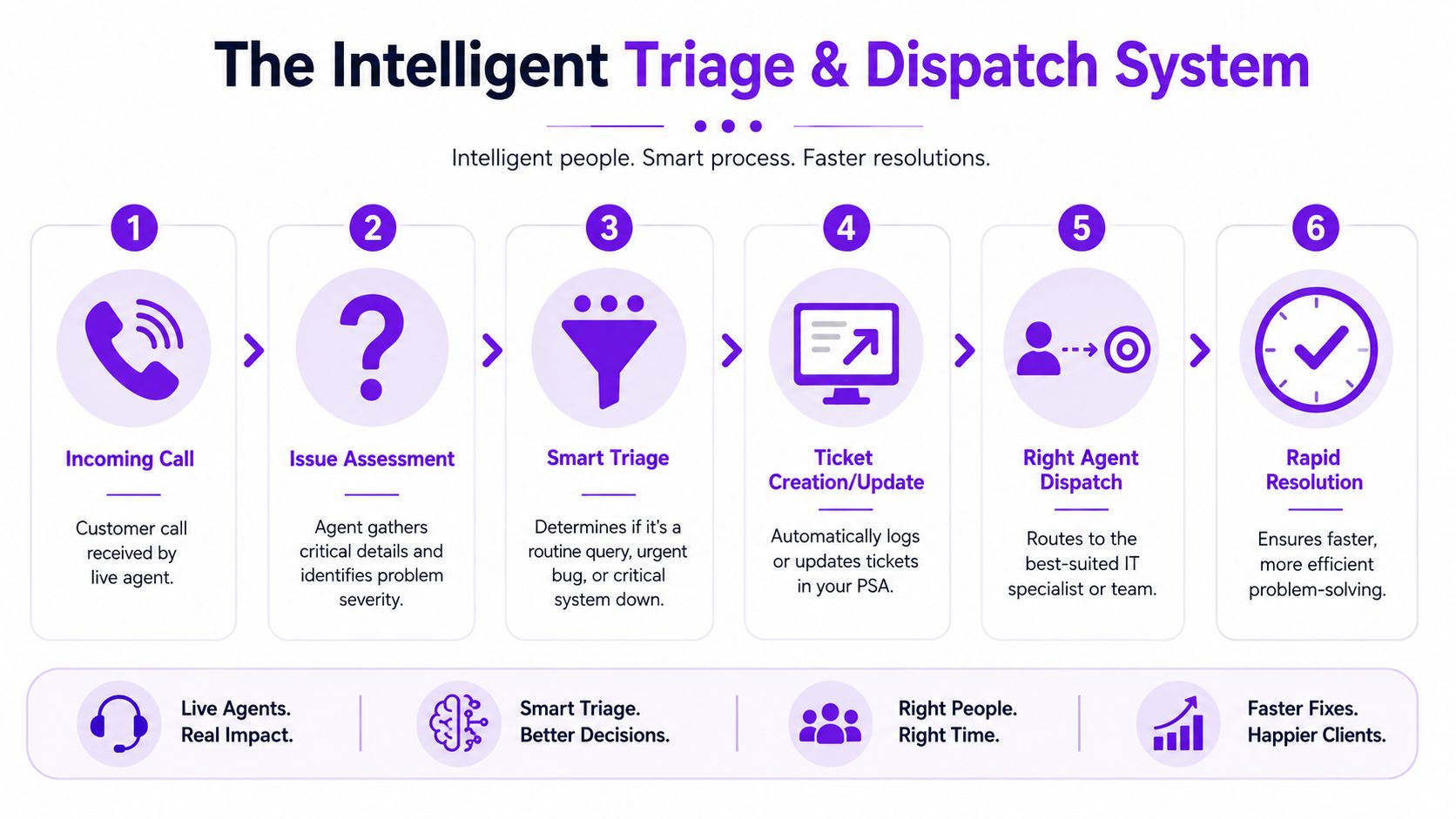
A useful answering service for an IT company asks enough questions to make the callback productive. What kind of business is calling. Are they an existing client. Is this managed support, cybersecurity help, cloud migration, cabling, phone systems, or emergency response. Are they asking for a quote, support, or immediate help.
That difference matters because your next move changes based on the answer. A new prospect asking about ongoing MSP support should land in sales follow-up with context. A caller saying their office can’t access shared files should not.
Derek Goodson, Founder of Next-Level Marketing Agency, described the value well:
“She doesn’t just take a name and number, she asks the right questions about what services they need… By the time I call them back, I already know exactly what they’re looking for and can jump straight into offering solutions instead of spending 10 minutes on discovery.”
If you want more qualified handoff instead of random call notes, it helps to think in terms of AI lead qualification, not old-school message taking.
It handles routine questions without tying up a technician
A lot of inbound calls don’t belong on an engineer’s desk in the first place.
They’re asking whether you serve a certain area, whether you support Microsoft 365, whether you work with small offices, how to book an on-site visit, or what your hours look like. Modern systems can answer those questions using the business information they’ve been trained on.
That’s where the category has changed. Nextiva describes answering services in 2026 as customer-experience platforms with call routing, appointment scheduling, multichannel workflows, analytics, and hybrid human-plus-AI support in its overview of answering service trends.
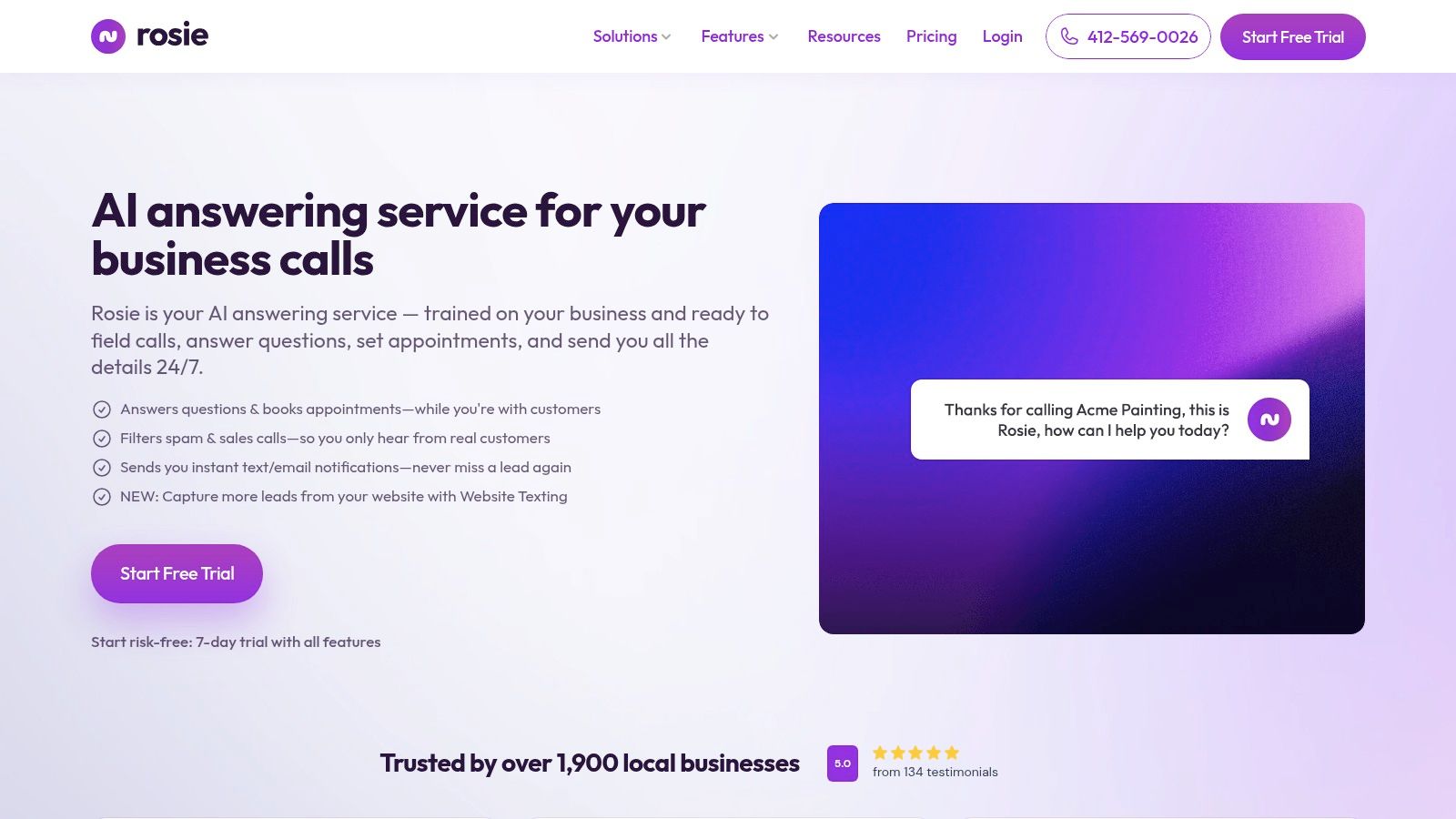
One option in that category is Rosie, which scans your website or Google Business Profile, answers common business questions, qualifies callers, books appointments, and transfers priority calls based on your rules.
It triages urgent incidents fast
This is the piece generic buyer guides usually miss.
Your IT answering setup should have a hard line between routine support and true emergency escalation. “Printer issue” should not wake the on-call tech at midnight. “We can’t access the server” probably should.
A solid workflow usually includes:
Trigger words: Terms like outage, security issue, breach, server down, internet down, email outage, locked out, and urgent.
Caller context: Existing client, location, affected users, business impact, and any ticket number they already have.
Escalation rules: Who gets notified first, by what method, and what happens if that person doesn’t respond.
For IT companies, integrating an answering service with automated triage and escalation workflows can reduce mean time to resolution by 35-40%, as it filters non-urgent queries and forwards critical alerts to technicians in seconds rather than hours, according to AnswerHero’s technical support overview.
That’s the role here. Not a nicer voicemail. A front-line triage layer.
Must-have features for your IT company’s answering service
A lot of providers sound similar on the surface. They all say they answer calls, route messages, and help after hours.
For IT, that’s nowhere near enough. You need a service that can sit inside your real workflow instead of forcing your workflow to bend around it.
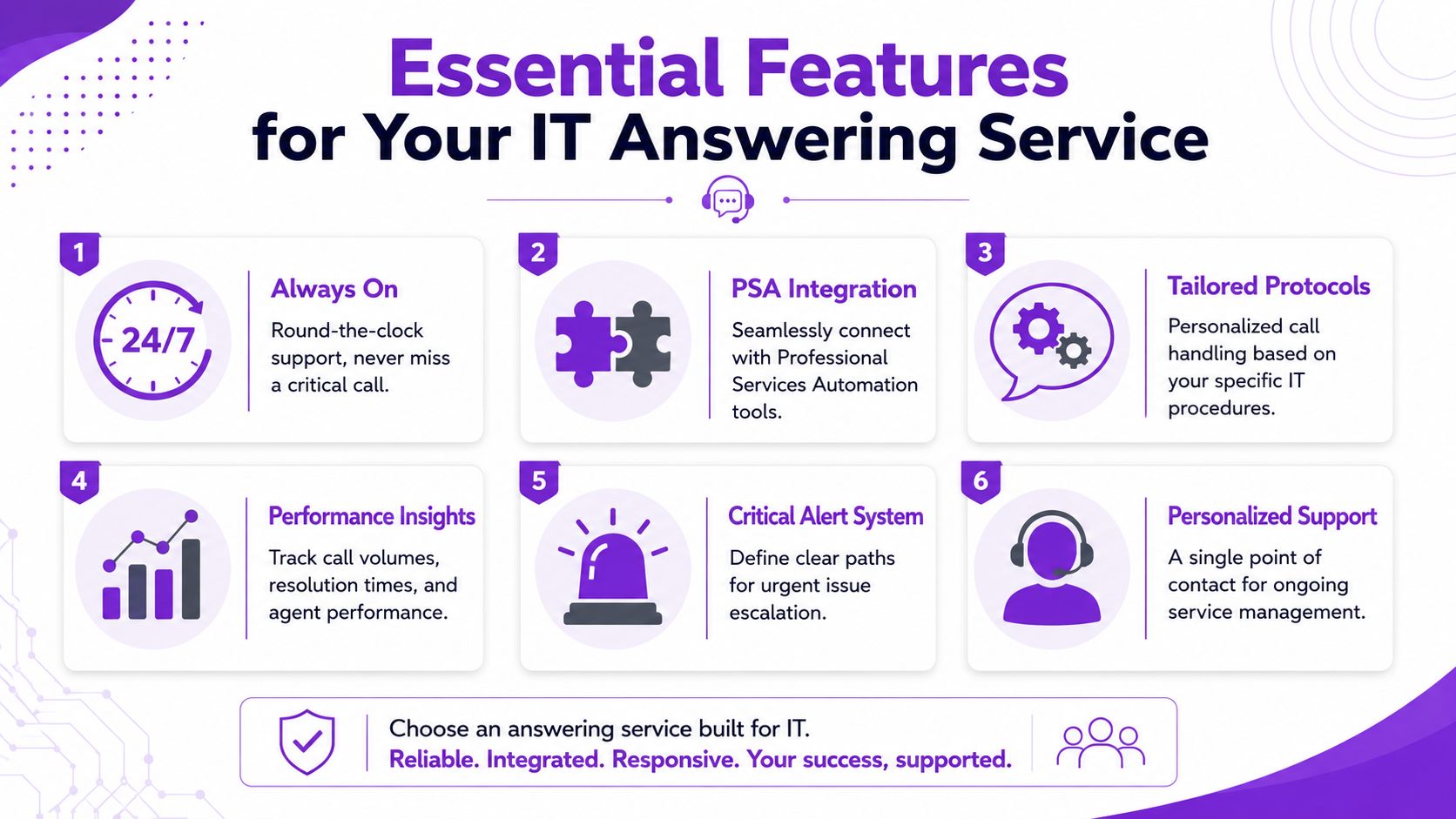
Clear escalation rules
This is essential.
You should be able to define exactly what happens when a caller reports an outage, security incident, or high-priority service problem. Not broad rules. Specific ones.
Examples look like this:
Existing client with outage language: Transfer or alert the on-call contact immediately.
New lead asking for managed services: Capture business details and schedule follow-up.
Routine support call after hours: Collect context and route to the next business-day queue.
Sales or robocall patterns: Filter them out.
If your provider can’t support that kind of intelligent call routing, you’ll still spend your day cleaning up bad transfers.
Field rule: Write escalation rules the way you’d write help desk priority rules. Plain language, clear ownership, and no guessing.
Integrations that keep records clean
An answering service shouldn’t create more admin.
If a caller gives their name, company, urgency, and issue summary, your team shouldn’t have to retype all of it into a CRM, PSA, or scheduling tool later. Clean handoff beats heroics.
Look for a service that can connect to the systems you already run. That might be a CRM, calendar, Zapier workflow, or ticketing process. The exact stack varies, but the principle doesn’t. The call data needs to move where your team works.
Without integration, people start copying and pasting from texts, emails, and voicemails. That’s where details get lost.
Call records your team can actually use
The handoff itself matters, but the record of the handoff matters too.
You want transcripts, recordings, and a clear summary of what the caller said. That’s useful for follow-up, training, dispute prevention, and internal accountability.
Dean Konstantine of McKnight put it well:
“What we love most is how it captures every call and delivers both a full dialog transcript AND the actual recording straight to us. No more wondering what was said or missing important details. Everything is documented perfectly, every time.”
That kind of record is especially useful in IT because details get technical fast. Version names, user counts, affected systems, and weird symptoms don’t always survive shorthand notes.
Always-on coverage without guesswork
After-hours support is where weak systems get exposed.
If your provider only sounds good during business hours, it won’t help much when the office manager calls at night because nobody can log in Monday’s payroll run. This is why availability matters, but so does consistency.
Derek Goodson said it in a way a lot of owners will recognize:
“She doesn’t take any breaks, she doesn’t go on vacation, she doesn’t punch out at 5 o’clock.”
That’s what business owners are really buying. Dependable coverage that doesn’t disappear when the day gets busy.
Security and data handling standards
An IT company can’t be casual about caller information.
Even if your answering setup isn’t handling the full support session, it’s still receiving names, phone numbers, company details, and sometimes descriptions of security or infrastructure problems. Ask direct questions about how call data is stored, who has access, what gets retained, and how transcripts and recordings are managed.
Use this short checklist when reviewing providers:
Feature | Why it matters for IT |
|---|---|
Escalation rules | Keeps emergencies from sitting in a queue |
CRM or PSA connection | Reduces manual re-entry |
Transcripts and recordings | Preserves exact caller details |
After-hours coverage | Supports outages and urgent incidents |
Spam filtering | Keeps your team from chasing junk |
Data handling controls | Protects sensitive caller information |
How to set up your new answering service in minutes
A lot of owners put this off because they assume setup will turn into a side project.
It usually doesn’t need to. The good setups are simple because they start with information you already have.
Step 1 connects your business knowledge
Start with the source material your callers already need answers from.
That usually means your website, Google Business Profile, service pages, contact details, hours, and common questions. A modern AI system can scan those sources and build a usable first layer fast.
If your site already explains what kinds of support you offer, your service areas, and how onboarding works, you’re not starting from scratch. You’re organizing what already exists.
Step 2 sets the rules
Here, the setup becomes useful for IT.
Create the call-handling rules that matter most to your business. Decide what counts as urgent, what gets booked, what gets messaged, what gets transferred, and what gets filtered out. Add custom FAQs for things like support windows, project consultations, onsite visits, or whether you support specific environments.
Daniel Terner of Terner Elder Law, P.L., described the balance well:
“It can’t be easy to develop a product that is both super-configurable yet also easy to use, Rosie strikes this balance extremely well.”
That same principle applies here. You want enough control to match your workflow, without needing a long implementation cycle. If you want a walkthrough before going live, Rosie has a practical guide on how to set up an AI receptionist.
Step 3 goes live on your existing number
Once the rules are in place, the last step is call forwarding.
You keep your main business number. Calls route to the answering service based on how you want it to work, all calls, overflow, after-hours only, or specific windows. Then you test a few scenarios and tighten any weak spots.
That’s it. No major rebuild. No big retraining effort.
The smartest way to do this is to start narrow. Set up your most common support questions, your lead intake flow, and your urgent escalation path first. Then refine.
Choosing the right service and what to expect on price
Price matters, but fit matters more.
A cheap service that sends bad messages, mishandles urgency, or can’t connect to your workflow is expensive in all the ways that count. On the other hand, paying for features you’ll never use also makes no sense.
A simple comparison checklist
Use this when comparing providers:
Question | Good sign | Red flag |
|---|---|---|
Can it separate routine calls from urgent incidents | Custom rules and transfers | Everything becomes a message |
Can it use your business knowledge | Trained on site content and FAQs | Generic scripts only |
Does it connect to your tools | CRM, calendar, or automation support | Manual re-entry required |
Can you review what happened | Transcript, recording, summary | Sparse call notes |
Can it support growth | Flexible plans and routing options | Rigid package with little control |
If you’re also reviewing your broader phone setup, Blowfish Technology’s business phone guide is a useful reference point for thinking through the phone system side of the equation.
How pricing usually works
Most providers charge one of two ways. Some bill around usage, usually per minute or per interaction. Others package service into a monthly plan with included capacity and feature tiers.
For smaller shops and growing teams, accessibility has improved a lot. Answering service plans often start around $49/month and can rise to $300+ depending on features, included usage, and integrations, as noted in Nextiva’s look at answering service cost trends.
A practical buying approach looks like this:
Low call volume: Start with a smaller monthly plan and test real usage.
Heavy after-hours support: Check how urgent transfers and notifications are handled before worrying about extras.
Sales plus support mix: Make sure lead qualification and booking are included, not just message taking.
Growing MSP or service firm: Prioritize routing rules, transcripts, and integrations over the lowest sticker price.
The wrong way to buy is to compare plans like they’re all selling the same thing. They’re not.
Some are voicemail with better manners. Some are actual intake and triage systems.
Ready to stop missing critical calls
A client calls at 9:17 p.m. because their staff cannot access email. Another caller reports suspicious login activity. At the same time, your engineer is trying to finish a migration window. That is the moment a weak phone process turns into an operations problem.
An answering service for an IT company should do more than catch overflow calls. It should protect billable time, screen for real incidents, and route security or outage issues to the right person without guessing. That is the difference between a generic receptionist service and a setup built for MSPs, IT support firms, and managed security teams.
The goal is simple. Fewer interruptions for your technical staff. Faster response for high-priority callers. Better coverage after hours, on weekends, and during on-call rotations.
If your current system still depends on voicemail, manual callbacks, or whoever happens to pick up, it is probably costing you more than it looks on paper. Rosie is one option to put structure around intake and escalation, especially if you need AI-first handling with clear routing rules.
If you are ready to put a real process in place, start the trial and test it against your actual call flow.
Frequently asked questions
Should an IT company use AI, live agents, or both
It depends on the type of calls you get.
AI works well for lead capture, common questions, appointment booking, and structured triage. Live agents still help when callers are emotional, confused, or need a more nuanced conversation. For many IT companies, the best setup is not choosing one side forever. It’s using AI for consistency and speed, then handing off based on clear rules.
The question isn’t which option sounds more human. It’s which option follows verified business knowledge, routes accurately, and alerts your team without delay.
Can an answering service really handle technical callers well
Yes, if you train it around your business and keep the scope realistic.
You do not need the system to solve every technical issue on the phone. You need it to identify the kind of issue, capture the right context, answer routine business questions, and escalate the serious stuff correctly. That’s a very different job from acting like a full technician.
Bad setups fail because they’re vague. Good setups work because they use your actual service categories, FAQs, and escalation paths.
What calls should be escalated right away
Create a short list and don’t overcomplicate it.
A good starting point is existing clients reporting outages, major access failures, security concerns, or any issue that stops a business function. New leads asking for quotes usually do not need an immediate wake-up call. Routine support requests usually don’t either.
The key is writing the rules before calls come in. If your team debates urgency after each message, the process is already broken.
Will setup turn into another IT project
It shouldn’t.
If the provider can scan your website or business profile, learn your core details, and let you define a few call rules, setup is usually straightforward. You are not building a giant support system from the ground up. You are giving your phone coverage structure and rules.
Start with your highest-value scenarios first. New lead intake. Common questions. Emergency escalation. Then improve from there.
If you want a call-handling system that answers questions, qualifies leads, books appointments, and transfers priority calls using your business knowledge, take a look at Rosie.