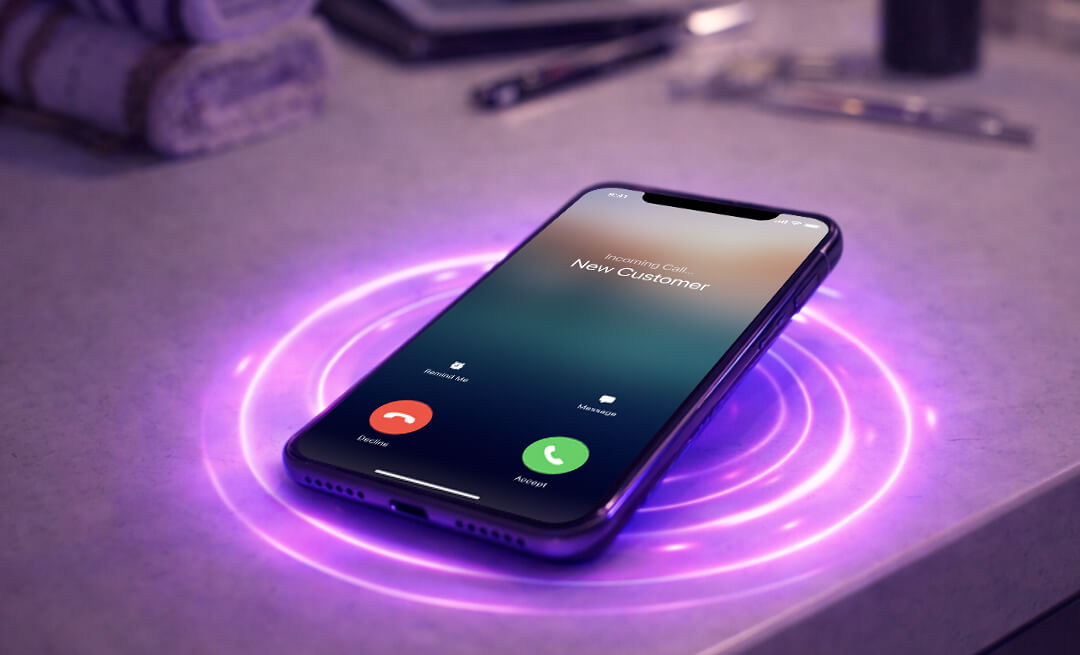
6:30pm on a Wednesday. A prospect calls your business ready to book a service.
Your business hours ended at 5pm. The call goes to voicemail.
They don't leave a message. They scroll to the next business in the search results and call them. That competitor answers. The prospect books with them.
You see the missed call notification the next morning. You call back. They don't answer.
They never call you back because they've already solved their problem with someone else.
This is how you lose revenue every single day.
You've heard all the buzz around AI—here's how it actually becomes useful running a local service business, without the complicated tech.
The real issue isn't being available or hiring more people. It's having a system that qualifies and captures every inbound inquiry automatically, regardless of when they call.
Rosie does this with an AI receptionist that answers every call, qualifies prospects, books appointments into your calendar, and answers questions using your business knowledge—24/7 without the cost of hiring staff.
In this article, we'll cover:
Why every missed call represents more lost revenue than you think
How this problem compounds over time and prevents you from scaling
How to set up a system that qualifies and captures every lead automatically
By the end, you'll understand how to stop losing revenue to unanswered phones and start capturing every opportunity.
Why Missed Calls Are Costing You More Than You Realize
Calls come in when you're busy, in meetings, or after hours.
The scenario from the opening happens constantly:
During your busiest hours serving other customers
During lunch when you've stepped away
On weekends when you're closed
At night when you're with your family
Every missed call represents potential revenue walking to a competitor who answered first. This is especially costly for service businesses like plumbers, where emergency calls often come after hours.
You see the missed call log and know exactly how much money you're leaving on the table.
The stress is constant. You know you're losing business. You know prospects are calling.
But you can't be available every hour of every day. You're already stretched thin running your business, serving existing customers, and handling operational work.
The worst part? You have no way of knowing which missed calls were hot prospects ready to buy versus casual inquiries.
So you either spend hours calling everyone back (most don't answer), or you let them all go and accept the revenue loss.
Neither option is sustainable.
How Missed Calls Compound Into Bigger Problems
Beyond immediate lost sales, missed calls damage your business in ways you might not realize.
Your reputation takes a hit.
When prospects can't reach you, they don't think "Oh, they must be busy."
They think "This business is unreliable."
They tell friends. They leave reviews mentioning you're hard to reach. Your reputation suffers because people expect businesses to answer the phone.
The second big problem this causes is that you can't scale.
Every growth opportunity—running ads, local marketing, referrals—creates more inbound calls.
But if you can't handle the calls you're already getting, you can't pursue growth. You're stuck at your current size because your phone answering capacity is maxed out. You need a way to handle overflow calls without adding headcount.
The third problem is that you're trapped in reactive firefighting mode.
Instead of working on strategic projects that would grow your business, you're spending time:
Checking missed call logs
Calling people back who don't answer
Trying to figure out which calls were important
Feeling guilty about missed opportunities
This keeps you working in the business instead of on the business. You're always one step behind, always reacting, never getting ahead.
Finally, your best growth opportunities slip away.
The prospects who call outside business hours are often your best leads. They're motivated enough to reach out immediately when they have a problem. This is why 24/7 availability matters, especially in competitive industries.
These people would book right now if someone answered. Instead, they're booking with your competitor who picked up the phone.
You're not just losing random inquiries. You're losing your hottest prospects to competitors who simply made themselves available when it mattered.
You Need a System That Qualifies and Captures Every Lead Automatically
The solution isn't working longer hours or hiring more staff.
You need a system that handles every inbound call automatically, qualifies prospects, answers their questions, and books appointments directly into your calendar—whether you're available or not.
This is exactly what Rosie does. It's an AI-powered phone answering system that picks up your business calls, has natural conversations with prospects, and takes action on your behalf.
Here's how to set it up.
Step 1: Teach Rosie About Your Business
Rosie needs to know what your business does, what services you offer, your pricing, your service areas, and anything else a caller might ask about.
When you create your account, Rosie scans your website and pulls in all the information she can find—your services, about page, service areas, hours, everything.
She creates an "Agent Knowledge Summary" written in first-person (like "we offer emergency plumbing services 24/7") so when she references this information during calls, she sounds like part of your team.
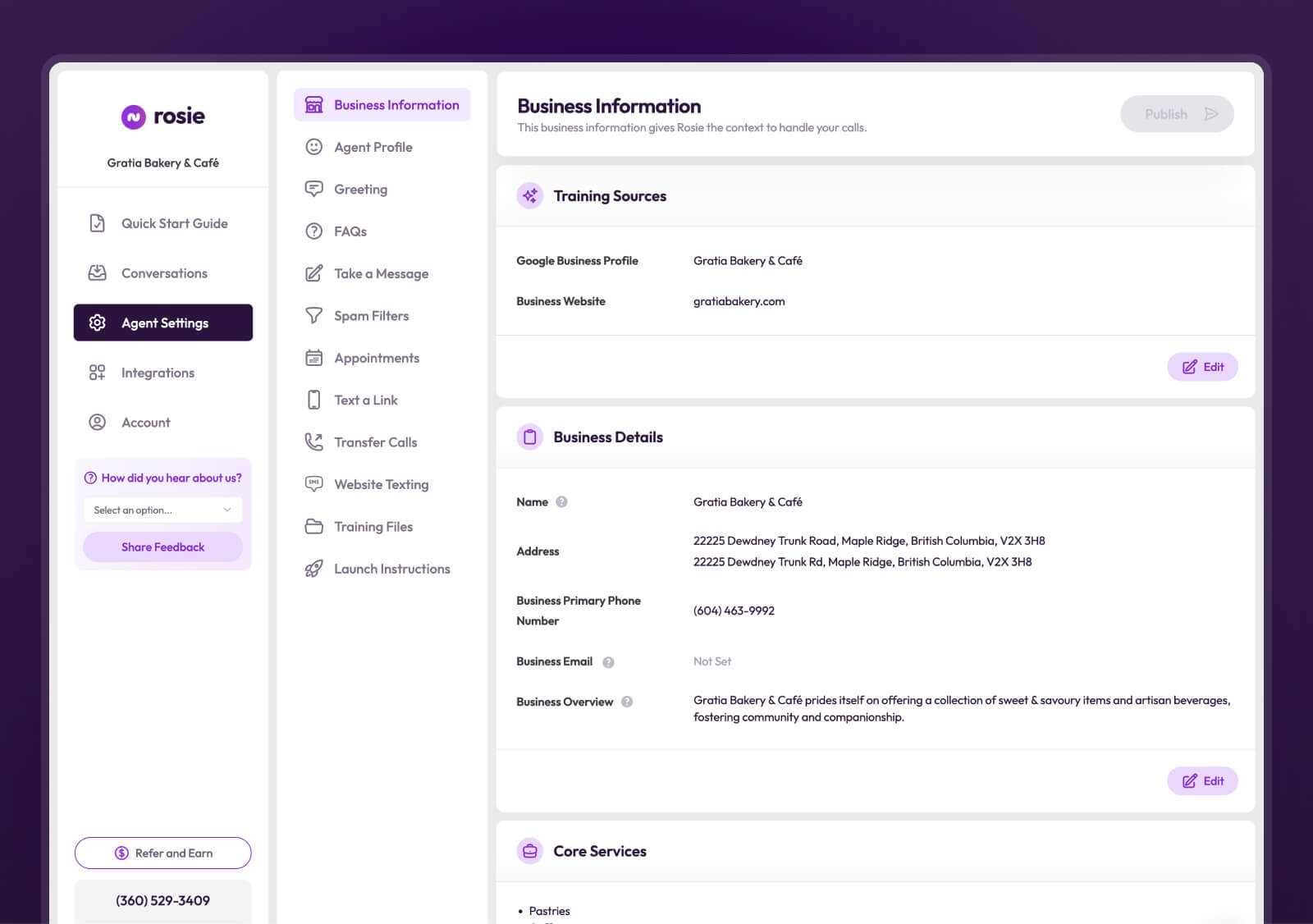
To review and refine what Rosie knows:
Log into your Rosie admin dashboard
Navigate to Agent Settings → Business Information
Review the auto-generated Agent Knowledge Summary
Add any specific details that are missing (pricing, policies, what makes you unique)
Click Save and Publish
What to include in your Agent Knowledge:
Be specific about your services - Instead of "we do plumbing," write "we offer residential and commercial plumbing, including emergency repairs, drain cleaning, water heater installation, and repiping services."
Mention what makes you unique - "We're a family-owned business serving the community since 1985" or "All our technicians are background-checked and fully licensed."
Add relevant policies - "We offer free estimates for all projects over $500" or "We provide same-day service for emergency calls."
The more specific you are, the better Rosie can represent your business when prospects call.
Step 2: Forward Your Calls to Rosie
Getting your calls to Rosie is simple—you're not changing your business phone number or switching carriers.
You're just setting up call forwarding so when someone calls your business, Rosie answers instead of it going to voicemail.
Here's how it works:
Your business number stays the same. Customers call the same number they've always called. But instead of ringing your phone (which you might miss), the call forwards to Rosie in the background.
You control when this happens. Forward all calls to Rosie, or only forward calls when you're busy, when you don't answer, or when your phone is off. This gives you the benefits of a virtual receptionist without the cost of hiring one.
To set it up:
Sign up for Rosie and get your unique Rosie phone number
Open your phone's dialer
Enter your carrier's forwarding code plus your Rosie number
Press Call and wait for the confirmation tone
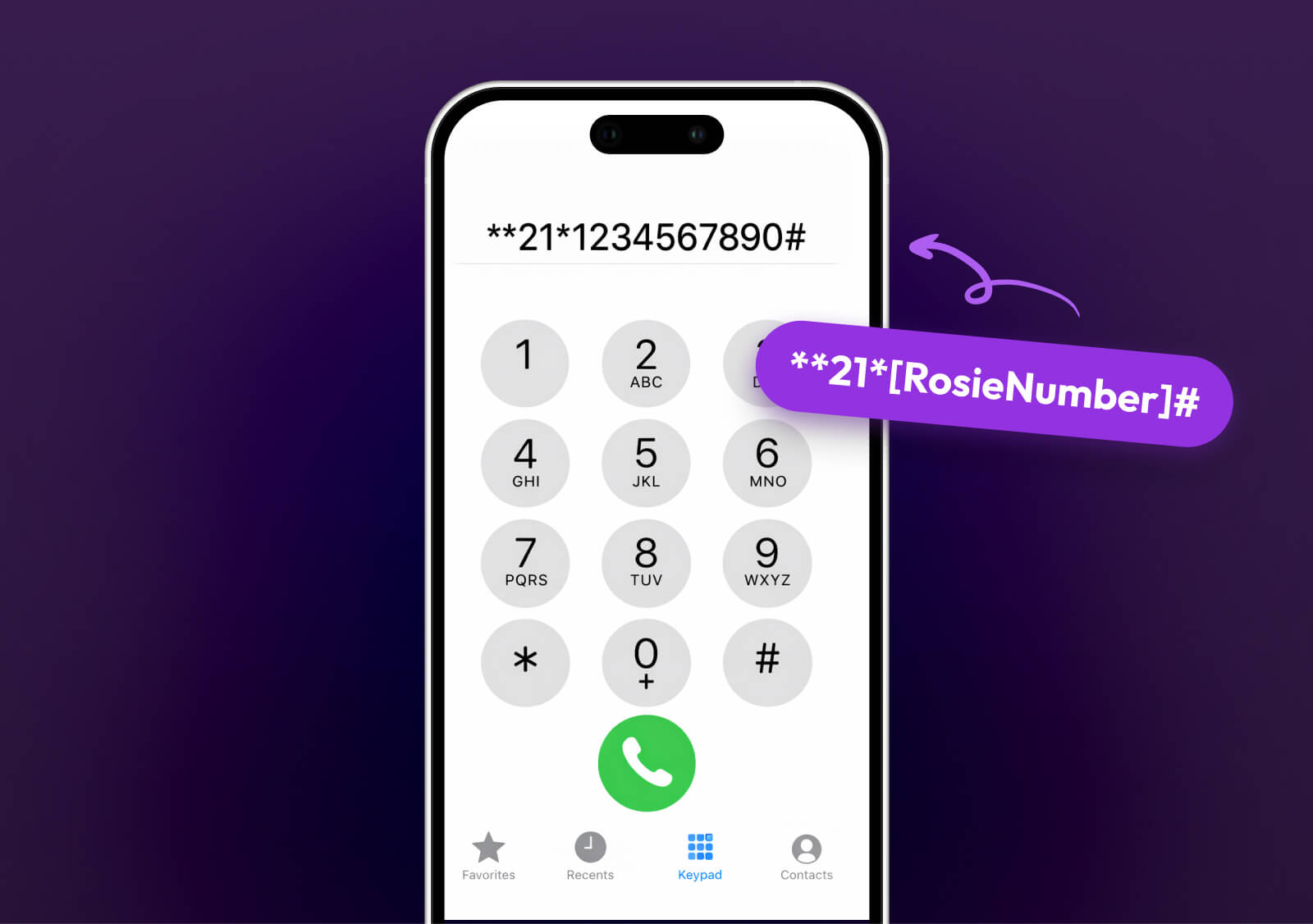
The exact code depends on your carrier. AT&T and T-Mobile users dial **21*[RosieNumber]# to forward all calls. Verizon users dial *72[RosieNumber].
iPhone users: Turn off "Live Voicemail" in Settings → Phone → Live Voicemail, or it will interfere with call forwarding.
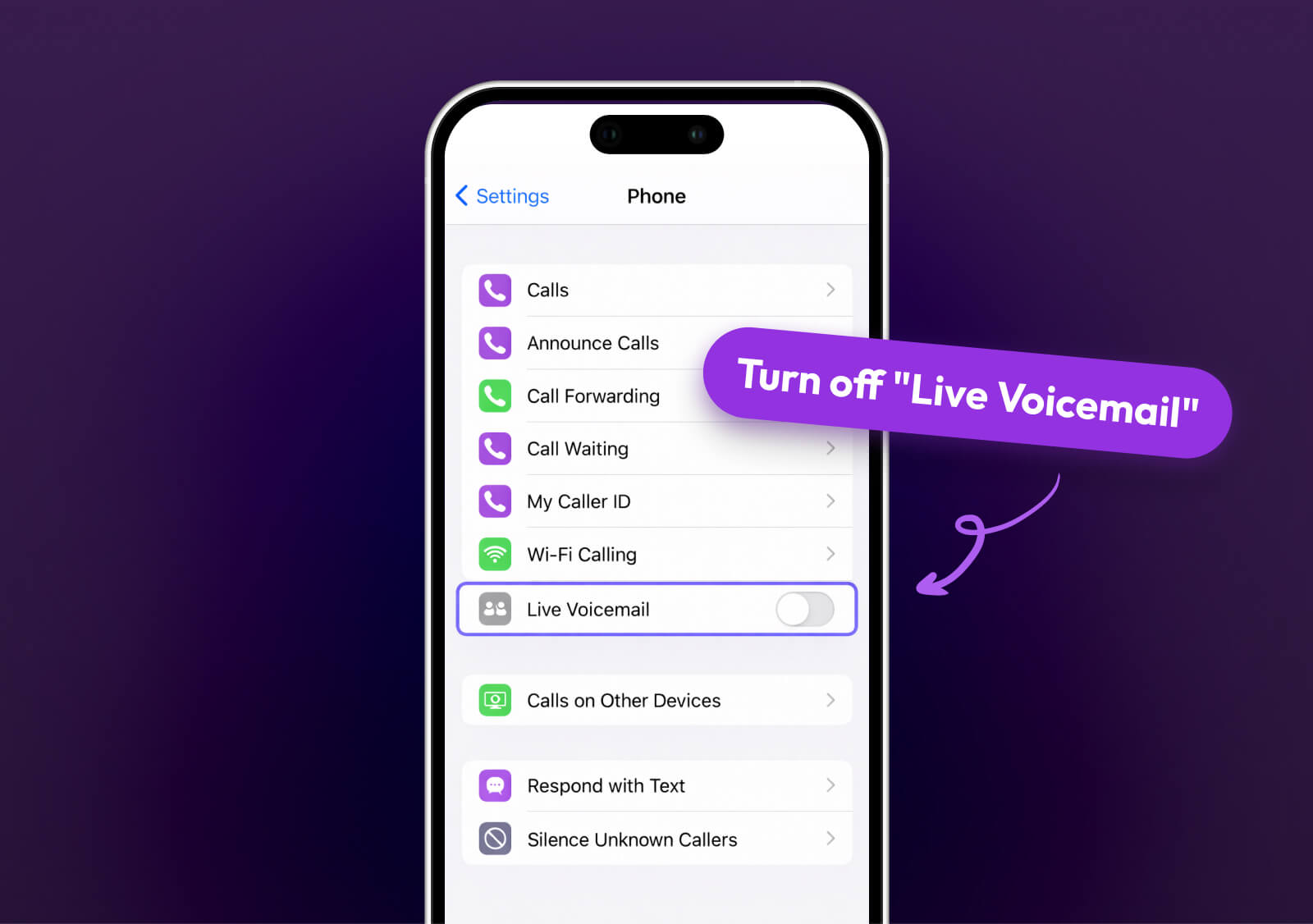
Once call forwarding is active, Rosie starts answering your calls immediately.
Step 3: Connect Your Calendar So Rosie Can Book Appointments
This is where Rosie goes from "helpful" to "game-changing."
Instead of just taking messages, Rosie can actually book appointments directly into your calendar when prospects want to schedule. This is one of the most powerful features of an automated phone system for small businesses.
Here's how it works:
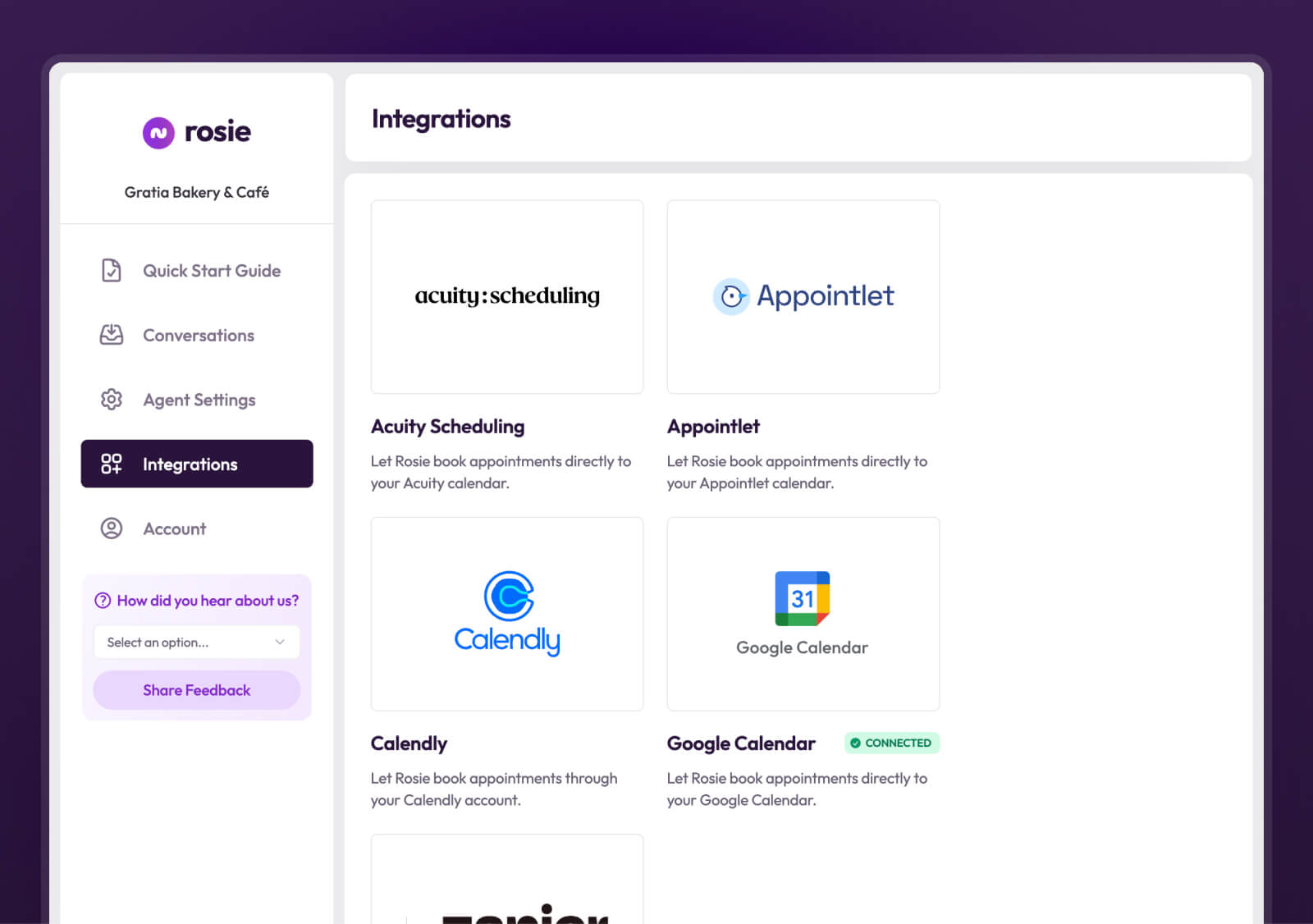
You connect Rosie to your existing calendar system (Calendly, Google Calendar, Appointlet, or Acuity). When a caller says they want to schedule an appointment, Rosie checks your calendar for available times, offers those times to the caller, and books the appointment automatically.
No back-and-forth. No phone tag. No waiting until tomorrow to call them back and hope they answer.
The prospect books their appointment right there on the call, even if it's 9pm on a Saturday.
To set up calendar integration:
In your Rosie admin, go to Agent Settings → Scheduling
Choose your calendar platform (Calendly, Google Calendar, etc.)
Follow the prompts to connect your account
Set your availability preferences (what times Rosie can book)
Save your settings
Once this is connected, here's what happens when someone calls:
The caller says "I need to schedule a service call."
Rosie checks your calendar and says "I have availability tomorrow at 10am or 2pm. Which works better for you?"
The caller picks a time.
Rosie books it into your calendar and confirms the appointment with the caller.
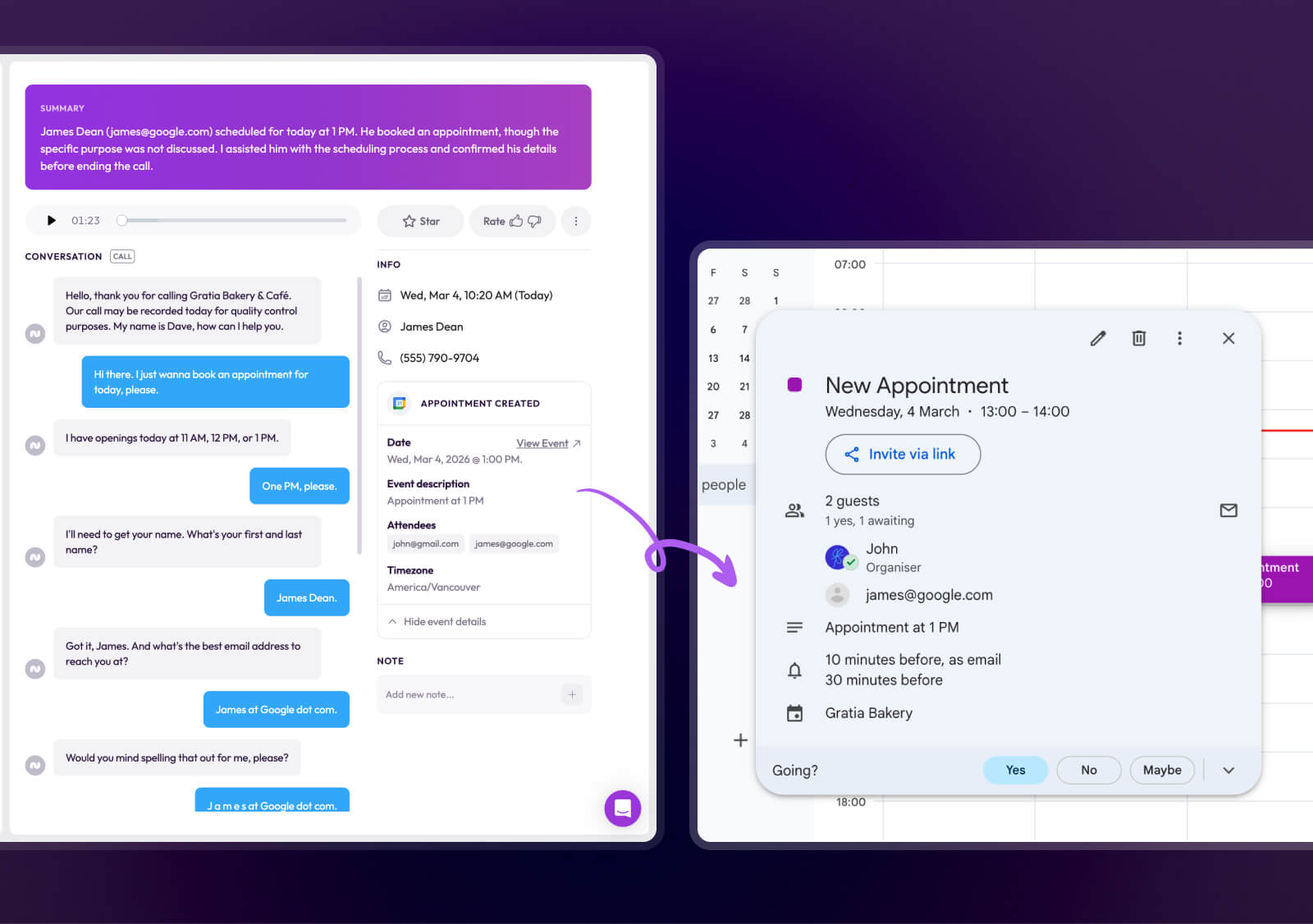
You get a notification that an appointment was booked. The prospect gets a confirmation. It's done.
This is how you capture those after-hours calls that used to go to your competitors.
What Happens After Setup
Once Rosie is set up, here's your new lead capture process:
A prospect calls your business at 7pm on a Wednesday (after you've gone home). Rosie answers. She has a natural conversation with them, answers their questions about your services using the knowledge you gave her, and books an appointment directly into your calendar for the next day.
You get an email notification with the call summary and appointment details. When you check your calendar in the morning, the appointment is already there.
The prospect never went to voicemail. They never called your competitor. They're booked with you.
That's a lead you would have lost. Now it's a booked appointment.
And this happens automatically, every time someone calls, regardless of when they call or whether you're available.
Stop Losing Leads to Missed Calls
You don't have to keep losing revenue to missed calls.
You don't have to stress about prospects calling when you're unavailable.
And you don't have to hire a receptionist or work longer hours to fix this problem.
What you need is a system that captures every lead automatically, qualifies them in real-time, and books appointments directly into your calendar—so no opportunity slips through the cracks.
That's exactly what Rosie does.
Start your free trial of Rosie today and see how an AI receptionist can capture every inbound inquiry, qualify leads automatically, and free up your time to focus on closing sales instead of chasing missed calls.
Every call gets answered. Every lead gets qualified. Every opportunity gets captured.
No more missed revenue. No more lost prospects. No more stress about who's trying to reach you right now.
Frequently Asked Questions
How much does an AI answering service cost?
Rosie starts at just $49 a month depending on your plan. Compare this to hiring a receptionist at $30,000-40,000 per year, or a traditional answering service at $200-500+ per month with per-call fees.
Can AI really handle complex customer questions?
Yes. Rosie learns from your website and the business information you provide. She can answer questions about your services, pricing, service areas, hours, and policies. If a question is too complex or requires human judgment, Rosie takes a message and notifies you immediately.
What if I already have voicemail?
Voicemail doesn't solve the problem—80% of customers don't leave voicemail messages. They call the next business instead. Rosie actually answers the call, has a conversation, qualifies the lead, and can book appointments. That's the difference between losing the lead and capturing it.
Does Rosie work with my existing phone number?
Yes. You keep your existing business phone number. Rosie works through call forwarding, so customers call the same number they've always called. You're not changing anything from the customer's perspective.
Can I turn Rosie on and off?
Absolutely. You control when calls get forwarded to Rosie. Forward all calls, or only forward when you're busy, after hours, or when you don't answer. You can change this anytime by updating your call forwarding settings.
How long does it take to set up?
Most businesses are up and running in under 30 minutes. The three steps (call forwarding, teaching Rosie about your business, connecting your calendar) are straightforward and don't require technical expertise.
What happens if Rosie doesn't know the answer?
If a caller asks something Rosie doesn't know, she'll say "That's a great question. Let me have someone from the team follow up with you on that" and takes their contact information. You get notified immediately so you can follow up.