
Your phone vibrates while you’re in court, in a mediation, or halfway through a consult with a paying client. The caller is a new matter. They need help now. They get voicemail, hear a stiff greeting, leave a rushed message, and then call the next firm on the list before you ever see the notification.
That’s the core problem with legal answering services. They aren’t about convenience. They’re about whether your firm is reachable when real people need you.
For a solo or small firm, the fix is simple. Put a system in front of your phone that can answer, qualify, route, book, and document calls without crossing ethical lines.
Here’s what matters most:
How to stop losing intake opportunities when you’re in court, on a call, or just unavailable
What a modern legal answering service should do, beyond taking a name and number
How to set ethical guardrails so the service helps your practice without creating risk
If you already know missed calls are costing you, you can set up Rosie and put immediate coverage in place.
Table of Contents
The pain of the unanswered client call
The call you never really missed
A missed call in a law firm rarely feels dramatic in the moment.
You see it later between hearings. You tell yourself you’ll call back after lunch. Then lunch disappears, the afternoon gets stacked, and by the time you respond, the urgency is gone. Usually because the caller hired someone else, cooled off, or decided your firm was too hard to reach.
That’s why this issue nags at small firm owners. It isn’t one obvious failure. It’s death by ordinary interruption.
One call hits while you’re driving back from court. Another comes in during a deposition. A third lands while your assistant is out. None of those moments mean you run a bad practice. They do mean your intake process is fragile.
Why voicemail fails small firms
Voicemail feels like coverage, but it usually isn’t.
Voicemail doesn’t qualify the lead. It doesn’t answer basic questions. It doesn’t tell a nervous family law caller what happens next. It doesn’t book a consult while the person is ready to commit. It just stores delay.
Practical rule: If your first line of intake is “leave a message and we’ll get back to you,” your intake system is already behind.
Small firms feel this more than larger ones because the same people doing the legal work are often handling the phones, scheduling, screening, and follow-up. That sounds efficient until your best billable hour collides with your best incoming lead.
The cost isn’t just the one matter you didn’t sign.
It’s the constant drag of checking missed calls, listening to partial voicemails, returning calls in batches, and trying to reconstruct who needed what. That cycle burns time and creates a sloppy first impression.
A good legal answering service changes the front end of the firm. Instead of asking prospects to wait for you to become available, it gives them a real response while you keep practicing law.
Why every missed call is a crisis for your firm
The legal industry has a phone problem, and small firms sit right in the middle of it. According to Clio’s legal marketing statistics, more than one out of every three calls from potential clients are not answered by a human. The same source says only 40% of law firms answered phone calls in 2024, down from 56% in 2019.
That should reframe the issue immediately.
This isn’t a minor operations annoyance. It’s a basic failure point in how firms receive business.
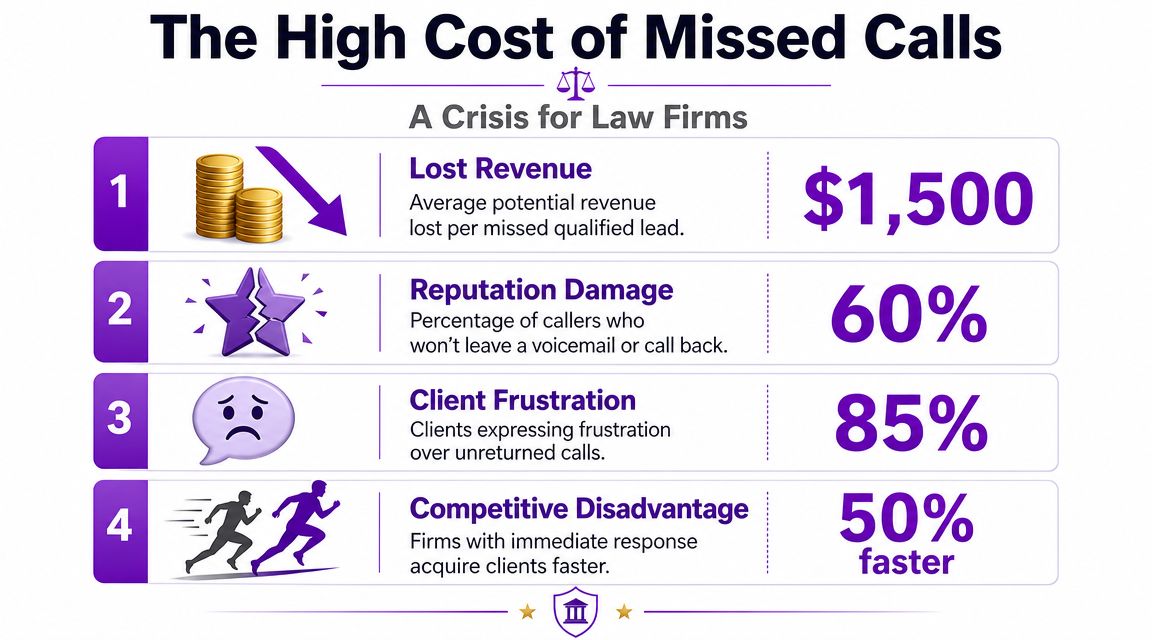
This is bigger than one lost consult
When a person calls a law office, they’re often dealing with stress, confusion, or a deadline. They’re not calling to browse. They want an answer, a next step, or at least a clear handoff.
If your firm doesn’t provide that, the caller usually doesn’t treat it as a harmless inconvenience. They treat it as a signal.
A signal that you may be hard to reach later.
A signal that urgent issues might sit.
A signal that another firm may be easier to work with.
For firms in time-sensitive practice areas, that first impression carries extra weight. A delayed response can mean a delayed intake, a delayed conflicts review, or a consult that never gets scheduled at all.
If you want a picture of what modern coverage looks like for firms trying to fix that gap, this page on law firm answering support is a useful benchmark.
Responsiveness is part of trust
Law firms often talk about trust as if it starts after engagement.
It doesn’t. It starts on the first ring.
A caller who reaches a cold voicemail greeting feels distance. A caller who gets a calm, competent response feels progress. That difference matters more in legal services than in many other businesses because the person calling may be embarrassed, anxious, or under pressure.
A missed call isn’t just a marketing leak. It’s a trust leak.
This is also why “I’ll just call them back later” is a weak plan. Later might be too late. And even when the prospect does answer your callback, you’re now trying to recover momentum that should have been captured in the first conversation.
Small firms can’t afford that kind of friction. Not when every inbound call may represent a new file, a referral source, or a worried existing client who needs direction.
How a legal answering service solves the intake problem
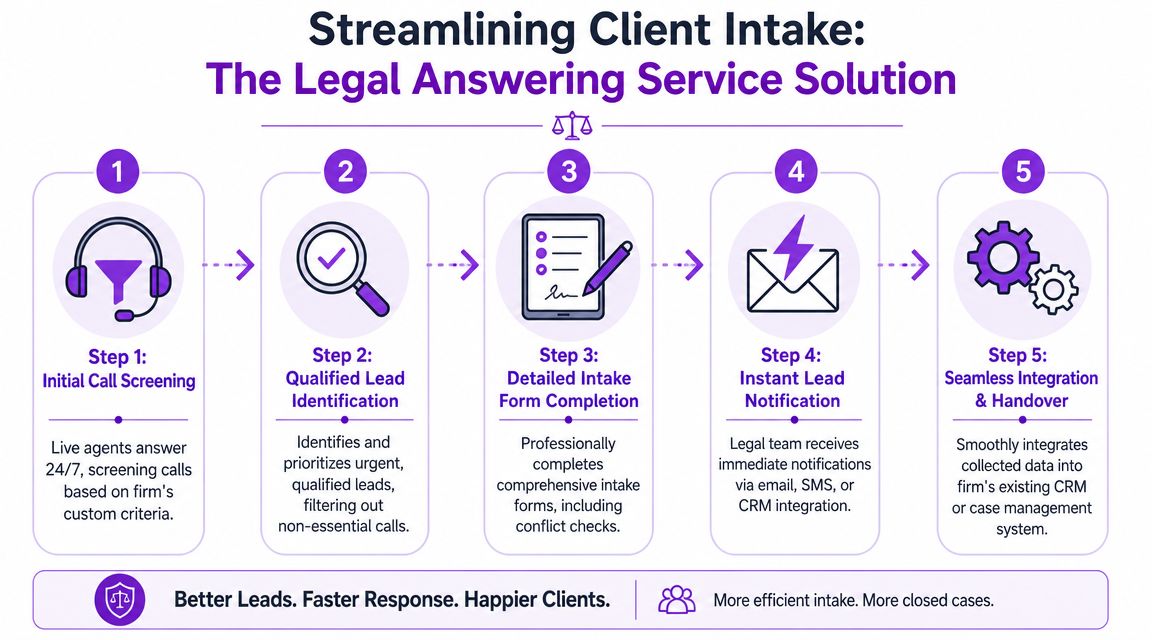
A modern legal answering service should do more than answer the phone. It should run the first stage of intake in a structured way.
That means it identifies why the person is calling, gathers the right information, follows your rules, and sends the call or the data where it belongs. According to Voiceflow’s guidance on legal answering workflows, the core model uses a routing component that classifies caller intent and then sends the call to specialized paths for intake, FAQ handling, scheduling, or handoff.
That’s the difference between coverage and actual intake.
It’s not a voicemail upgrade
Bad answering setups do one thing. They capture a message.
Good ones do several things in the right order.
They identify the caller type. New lead, existing client, opposing counsel, court staff, vendor, wrong number, or spam.
They ask the next useful question. Not a generic “How can I help?” loop, but a guided intake path based on practice area and urgency.
They trigger the right action. Schedule, transfer, log a message, or escalate.
That’s why I don’t lump all legal answering services together. Some are still message-taking shops with a legal label. Others function more like a disciplined intake desk.
If you’re comparing call flow designs and phone stack options, this article on optimizing law firm communication is a practical companion read.
What good routing looks like in practice
Here’s what works in a small firm.
A new estate planning inquiry should get basic qualification and an appointment option. An existing family law client asking about tomorrow’s hearing should route differently. A criminal defense emergency may need an immediate transfer path. A billing question shouldn’t interrupt attorney time unless your rules say it should.
That kind of structure is what makes round-the-clock coverage workable.
One option in this category is Rosie’s virtual answering service. Rosie isn’t a message-taking service. It answers questions using your business knowledge, qualifies leads, books appointments, transfers calls, and scans your website or Google Business Profile to build accurate responses.
Daniel Terner of Terner Elder Law, P.L. put it well:
“It can’t be easy to develop a product that is both super-configurable yet also easy to use, Rosie strikes this balance extremely well.”
That balance matters. If the system can’t be configured to fit your practice, it becomes noise. If it’s too rigid or too loose, staff stop trusting it.
Must-have features for modern law firms
A legal answering service can sound impressive in a demo and still fail your firm in daily use. The difference usually comes down to a few key factors.
In this context, small firms need discipline. Don’t buy the broad promise. Buy the exact functions your intake process needs.
The short buyer checklist
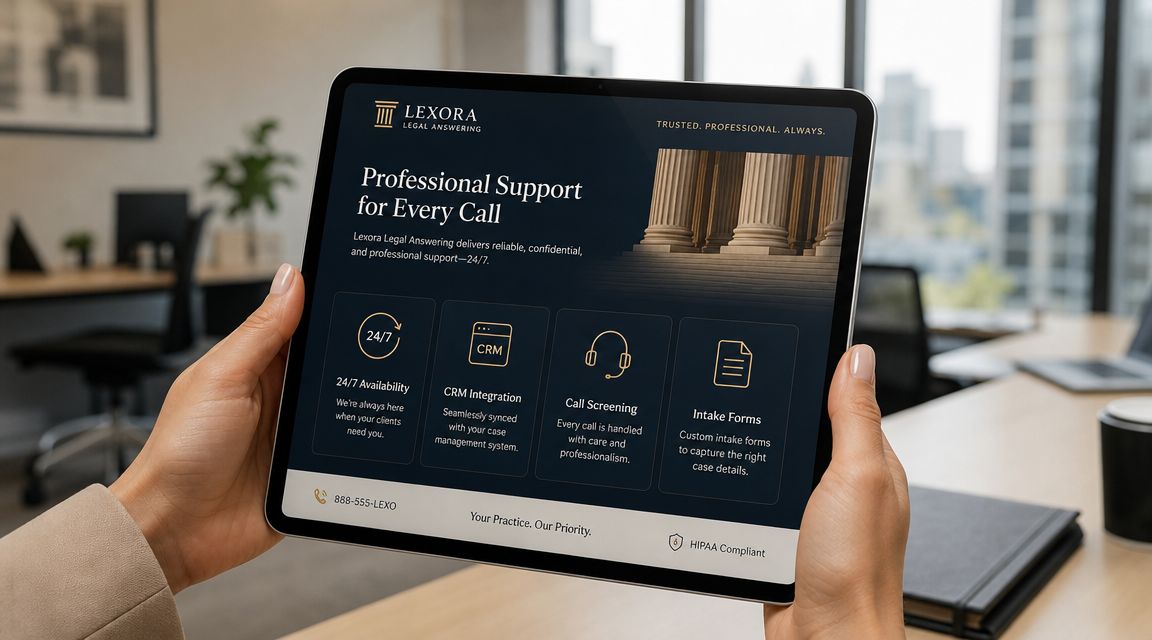
According to CaseGen’s overview of legal answering performance, key benchmarks include answering calls in under 2 seconds and direct CRM or case-management integration so intake data moves over in a structured format without manual re-entry.
That points to a very practical checklist:
Feature | Why it matters |
|---|---|
Fast answer speed | Callers stay on the line when response feels immediate |
Structured intake forms | Your team gets usable facts, not messy free-text notes |
Calendar booking | Qualified prospects can commit while they’re ready |
Case-management sync | Staff doesn’t waste time typing the same details twice |
Call recordings and transcripts | You can review quality and confirm exactly what was said |
Bilingual coverage | More callers can move forward without friction |
What small firms usually regret skipping
The first regret is weak scripting.
A provider may say they “customize” calls, but what you need is practice-area-aware intake. Family law, criminal defense, estate planning, and PI calls should not sound the same. The questions, tone, and escalation triggers need to reflect the work.
The second regret is poor documentation.
Dean Konstantine from McKnight described the value clearly:
“What we love most is how it captures every call and delivers both a full dialog transcript AND the actual recording straight to us. No more wondering what was said or missing important details. Everything is documented perfectly, every time. Our whole team is obsessed with this feature.”
That’s not a luxury feature. It’s operational protection.
The third regret is buying a call handler that lives outside the rest of your systems. If your intake notes sit in an email inbox while your case data lives elsewhere, your staff will work around the tool instead of through it.
If you’re reviewing the wider software picture, this guide to modern legal practice technology helps place answering services in the context of the rest of a modern firm stack.
Staying compliant and protecting your practice
The biggest hesitation lawyers have about legal answering services is usually the right one. They worry that a third party, or an AI system, will say too much, imply too much, or mishandle a sensitive call.
That risk is real if you set the service up casually.
It becomes manageable when you define the boundaries up front.
What the service should never say
The most important rule is simple. The service must not give legal advice.
As Nextiva’s law firm answering service guide makes clear, firms need scripts that refuse to answer questions that could be construed as legal advice and include clear escalation rules for sensitive matters. That line protects against accidental unauthorized-practice-style risk and keeps callers from thinking your firm has already evaluated their case.
Here are the phrases I would block immediately:
Case outcome language like “You have a strong case” or “That sounds like malpractice”
Deadline language like “You still have time” unless a lawyer has set that script
Representation language like “We can take this matter” before your process allows it
Conflict language that sounds like clearance instead of preliminary intake
Boundary rule: The service can gather facts, explain next steps, and route urgency. It cannot assess, advise, or promise.
Build your escalation rules before launch
Many firms get lazy. They focus on greetings and miss the hard part.
You need a written list of what counts as urgent, what gets booked, what gets messaged, and what gets transferred immediately. A family law safety concern may need one rule. A criminal arrest call may need another. Existing clients with same-day court issues may need their own path.
I’d also insist on reviewing the provider’s data handling terms before any live traffic starts. If you’re evaluating vendors, Rosie’s data processing information shows the kind of documentation firms should look for when they assess a service partner.
Good compliance here isn’t abstract. It sounds like this:
The caller hears a clear intake framing statement
The system collects only what it needs for intake and routing
Sensitive requests move to human review
Staff can audit transcripts, recordings, and summaries afterward
That’s how you create a front door that helps the practice without practicing law.
Choosing the right provider and calculating your ROI
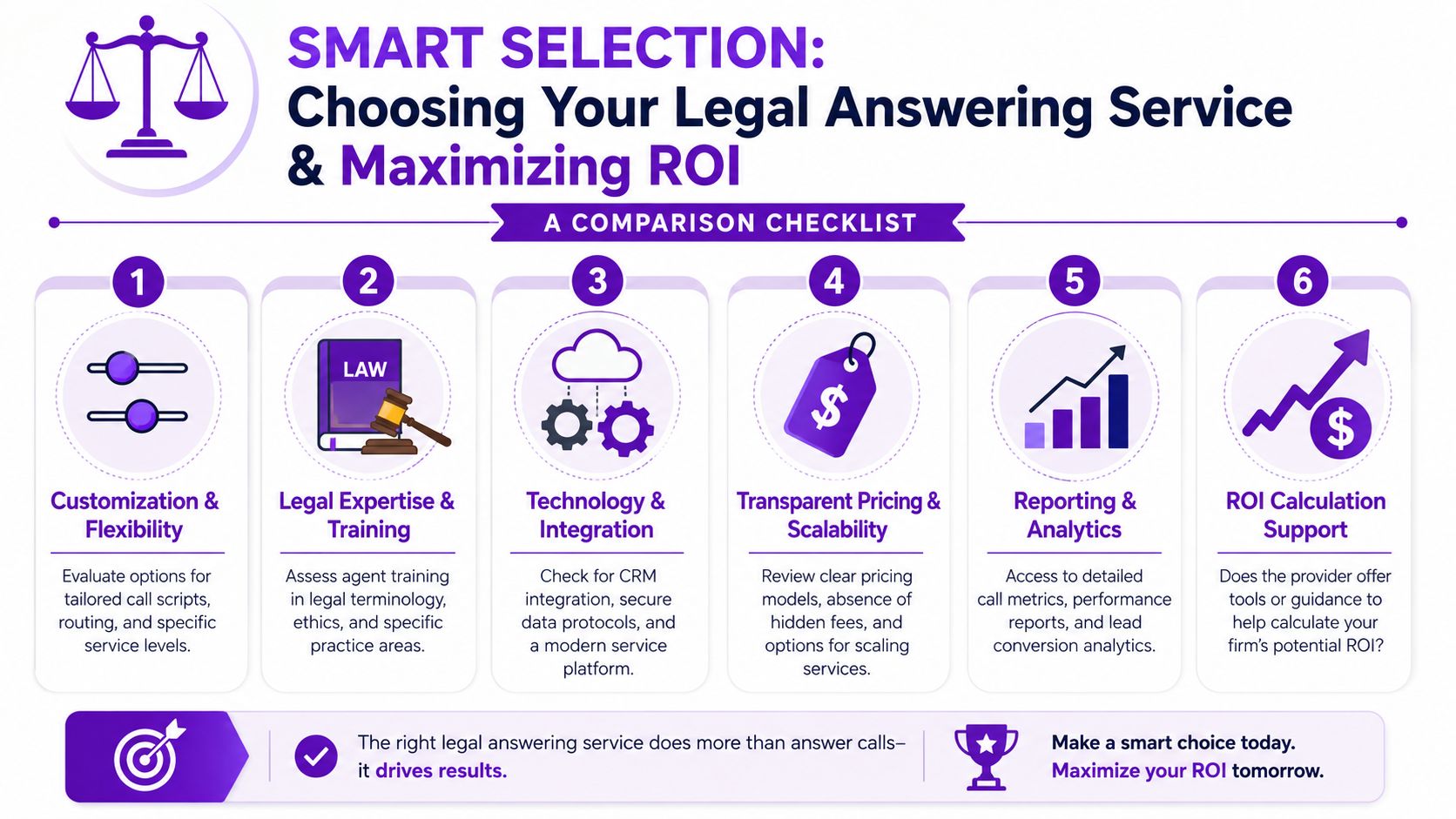
Shopping for legal answering services gets confusing fast because providers package the same basic promise in different ways. Some sell minutes. Some sell calls. Some emphasize human receptionists. Some emphasize AI. Some are really just overflow coverage with nicer branding.
Start with the service model, then look at price.
The GetNextPhone comparison of law firm answering services shows how wide the pricing range can be: about $50 per month for 30 minutes, about $245 per month for 50 minutes, about $330 per month for 100 minutes, about $425 per month for 150 minutes, and roughly $1,695+ per month for 500 minutes. The same source also notes $330, $479, $616, and $737 per month for 100, 150, 200, and 250 minute plans, and reports that 33% of law firms gained 1–2 leads per week from virtual receptionist services while 43% saved 1–5 hours per month.
What pricing really tells you
Pricing tells you what kind of problem the provider thinks they’re solving.
A low-cost minute bundle usually means basic coverage. Higher plans often reflect deeper intake, legal-specific scripting, more routing logic, or more volume. That doesn’t mean the expensive option is automatically right. It means you should ask better questions.
Ask these before you sign:
What happens on a new lead call? Is it message taking, qualification, or full intake?
How are urgent calls handled? Define “urgent” before go-live.
Where does the data go? Into Clio, MyCase, PracticePanther, Lawmatics, email, text, or nowhere useful.
Can I change scripts quickly? Your process will evolve.
How are spam and sales calls filtered? Otherwise your minutes disappear on junk.
If you’re also reviewing your underlying phone setup, this roundup of Top phone systems for legal firms is worth keeping open in another tab.
A practical way to think about ROI
Small firms get stuck when they frame this as an expense line.
Frame it as intake protection.
If a provider answers more calls, qualifies better, books consults, and saves attorney or staff time, the right question isn’t “What does it cost per month?” The right question is “What happens when nobody answers the next serious caller?”
A cheap service that can’t screen, route, or document properly creates hidden cost. A pricier service that reliably captures the right opportunities may be the more conservative decision.
Derek Goodson, founder of Next-Level Marketing Agency, said it in a way every solo owner understands:
“Rosie has essentially given me the capacity to scale without hiring, which as a solo operator trying to build sustainable monthly recurring revenue, is exactly what I needed.”
That quote isn’t from a law firm, but the operational point still lands. Capacity matters. If your phone process only works when you’re personally available, your growth has a ceiling.
Frequently asked questions about legal answering services
Will callers know they’re talking to AI
Sometimes yes. Sometimes no. The better question is whether the interaction feels helpful, accurate, and easy.
That’s where a lot of firms change their mind. Edgar Quinteros of The Copier Guy said, “The response with callers is so real, sometimes customers don’t know it’s AI.” And Daniel Oehl of Snap Fitness said, “I have had multiple people call in to test Rosie and they all think she is much better than a real receptionist.”
For a law firm, the standard shouldn’t be “Can nobody tell?” It should be “Did the caller get a prompt, clear, well-routed response?”
Is AI better than a human receptionist for a law firm
The trade-off is workflow, not ideology. As noted in MyCase’s review of the category, firms heading into 2026 are weighing human-only coverage against AI systems that offer instant response, consistency, deep integration, and lower operating cost.
Human receptionists still make sense when your intake is highly nuanced, emotionally complex, or constantly changing. AI works well when your firm has clear scripts, clear routing rules, and a high need for after-hours or overflow coverage. Many small firms end up wanting a hybrid logic even if the provider labels the product one way or another.
Can a service handle both new leads and existing clients
Yes, if it’s configured correctly.
That means callers aren’t all dumped into the same path. New leads should be qualified and booked. Existing clients may need status guidance, message capture, or urgent routing depending on the matter type. Court personnel, opposing counsel, and vendors should each have their own handling rules too.
If the provider can’t separate those lanes, your intake desk becomes a bottleneck instead of a filter.
How do you get started without making this a project
Keep it simple.
First, write down your call types. New lead, existing client, urgent issue, routine admin, spam. Second, decide what each one should trigger. Booking, transfer, message, or refusal. Third, give the system the raw material it needs, like your website content, practice-area FAQs, office hours, intake questions, and escalation contacts.
That’s enough to launch a useful first version. You can refine scripts after listening to real call recordings and transcripts.
If your firm is tired of missing calls, chasing voicemails, and guessing what happened on intake, take a look at Rosie. It answers calls around the clock, qualifies leads, books appointments, transfers priority calls, and gives you transcripts, recordings, and summaries so your team can follow up with context instead of clutter.