A customer calls at 6:12 p.m. because their basement is flooding, their stylist needs to move an appointment before a wedding, or they finally decided to hire a lawyer and want to talk now, not tomorrow. Your team is busy, the shop is closed, or you’re on another job. The call goes to voicemail. In a lot of small businesses, that’s the end of the story. The caller hangs up and contacts the next company.
That’s the cost of weak customer service for a small business. It’s not just inconvenience. It’s missed jobs, empty calendar slots, slower intake, and a steady drip of revenue walking to a competitor that answered first.
This is why more owners are looking at a virtual assistant for customer service as an operations tool, not a novelty. The useful versions don’t behave like a clunky phone tree. They answer calls, respond to common questions, collect lead details, route urgent issues, and keep your business available when your staff can’t. If you’re evaluating options, this overview of AI voice agents for customer support is a helpful way to understand what modern phone-based automation does in practice.
For a local service business, that shift matters. You don’t need enterprise software language. You need fewer missed calls, fewer interruptions, and a reliable way to help customers without hiring a full front desk for every hour of the day.
Table of Contents
Introduction The Cost of a Single Missed Call
A plumber misses one after-hours call on a Tuesday night. It doesn’t feel dramatic in the moment. He’s finishing dinner, the phone buzzes, and he lets it go because he assumes he’ll call back in the morning.
By morning, the job is gone.
The homeowner didn’t want a callback. They wanted help. So they called the next number, then the next one after that, until someone answered. The same thing happens in salons when clients need a same-week opening, in law offices when a prospect finally decides to schedule a consultation, and in real estate when a renter wants to book a showing before the weekend.
Missed calls rarely look expensive on paper. They look ordinary, which is why they keep costing owners money.
Small businesses usually don’t lose business because the service is bad. They lose it in the handoff between interest and response. The phone rings while you’re under a sink, with a client, driving between jobs, or trying to close the office. A voicemail box, a missed notification, or a callback that comes too late creates a gap that your competitor can step into.
That’s where a virtual assistant for customer service changes the economics. Instead of treating unanswered calls as unavoidable, it gives your business a way to respond every time. It can greet the caller, answer basic questions, collect the details that matter, and send you a clean summary so you know whether it’s urgent, qualified, or something to handle later.
Why small businesses feel this problem more sharply
A national brand can absorb a missed call. A local service business usually can’t. One lost intake call may mean one less service appointment, one less consultation, or one less booked chair.
The pressure gets worse during the exact times owners are least available:
After-hours demand: Emergencies, schedule changes, and urgent questions don’t stop when the office closes.
Peak-hour overload: Your busiest times are often when no one can stop to answer the phone properly.
Interrupted work: Every inbound call pulls someone away from billable or customer-facing work.
Inconsistent follow-up: Good intentions don’t always become fast callbacks.
A lot of owners try to patch this with voicemail, call forwarding, or a rotating cell phone. Those work until they don’t. The issue isn’t whether a message can be left. It’s whether a customer feels helped in the moment they reached out.
What Is a Virtual Customer Service Assistant Really
A virtual customer service assistant is easiest to understand if you stop thinking about software and start thinking about staff.
It’s the front-desk person every small business wants. Available all day. Calm on every call. Familiar with your services, hours, policies, and booking rules. Able to take a message, answer routine questions, and send the right callers to the right place.
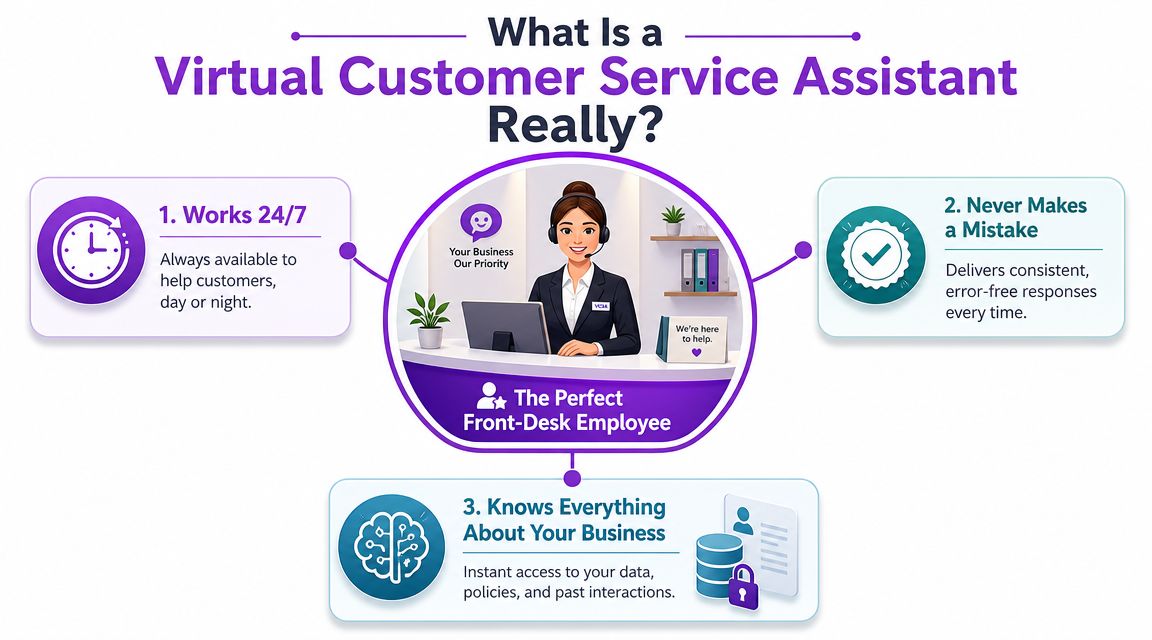
It acts like a front desk that never clocks out
The modern version usually lives in your phone workflow, and sometimes across chat or messaging too. When someone calls, it doesn’t just play a recording. It listens to what the customer is saying, responds naturally, and follows the rules you set.
That matters because old systems were built around forcing people into menus. Press 1. Press 2. Leave a message. Modern assistants are built around intent. They try to understand what the caller needs, whether that’s booking, pricing, directions, a policy question, or an urgent transfer.
For contractors and other field-based teams, this broader Guide to AI for home service businesses is useful because it frames AI as a practical operations layer, not just a marketing trend. The same logic applies on the phones. The tool earns its keep when it protects jobs and reduces interruptions.
What it is not
It’s not voicemail with a nicer voice. Voicemail stores work for later. A virtual assistant handles work now.
It’s also not the same as a basic website chatbot that answers a few canned questions and breaks when the customer phrases things differently. A true phone-based assistant needs to guide real conversations, ask follow-up questions, and know when to hand off to a person.
If you’ve ever wondered where the line is between these tools and a receptionist service, this explanation of what a virtual receptionist is gives a useful framing. In practice, the most effective systems blend reception, intake, screening, and routing into one workflow.
Here’s the simple test I use. If the tool only says hello and records a message, it won’t solve much. If it can answer, qualify, route, and log what happened, then it starts acting like part of your team.
Practical rule: Buy for the moments when your business is unavailable, not for the demo where everything goes perfectly.
The Core Capabilities of a Modern Virtual Assistant
A useful virtual assistant earns its place in a small business by handling the calls that usually pull owners and staff away from paid work. The key test is simple. Can it take a live customer request, move it forward, and leave your team with less cleanup after the call?
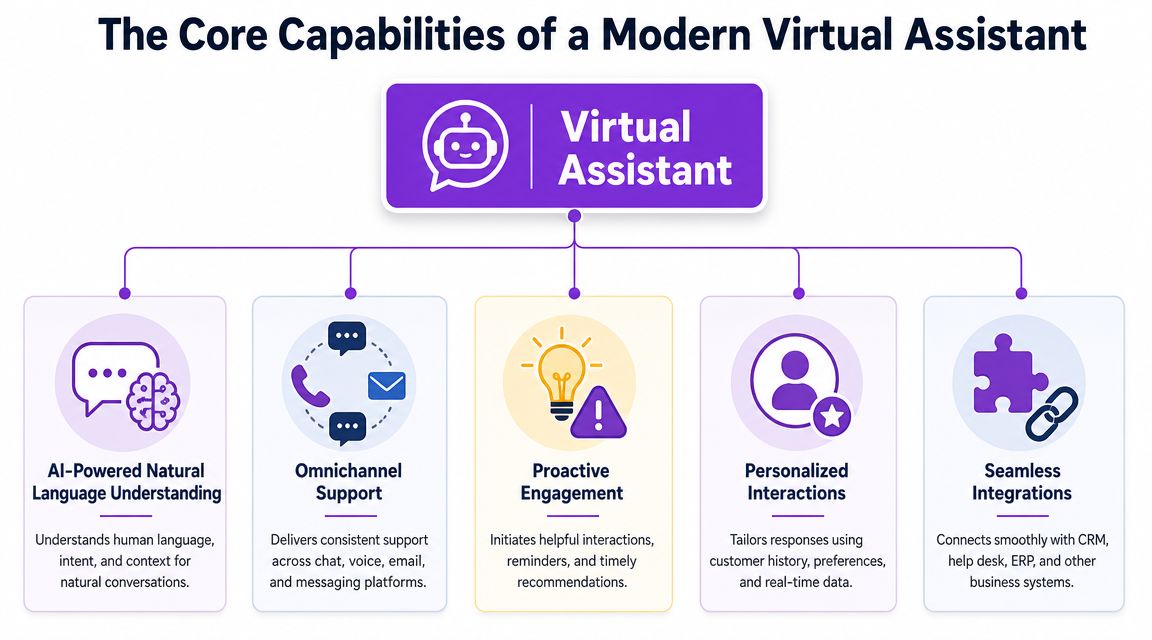
Understanding the customer instead of forcing button presses
Modern systems should handle normal speech, not trap callers in a phone tree. NiCE explains that AI virtual assistants combine natural language processing, machine learning, and robotic process automation to understand intent, improve responses, complete back-office tasks, and hand off exceptions when a person is needed through NLP, ML, and RPA-based customer support automation.
For a local service business, that technical stack matters because it changes the caller experience in plain, practical ways:
Customers can say what they need in their own words. They do not have to guess whether “press 2” means billing, scheduling, or emergencies.
Common questions get answered on the spot. Hours, service areas, deposit rules, insurance questions, and basic pricing no longer sit in a voicemail queue.
Staff only gets the calls that need judgment. That protects the day from constant interruptions.
A stylist asking the assistant to handle deposit questions needs different behavior than a plumber screening after-hours leak calls or a law office sorting urgent intake from general inquiries. The better tools can tell the difference and respond accordingly.
Taking action, not just collecting messages
Conversation is only the front end. A virtual assistant should also complete the next step that keeps work moving.
That usually includes:
Booking appointments or collecting scheduling details
Capturing lead information such as name, issue, address, urgency, and callback number
Filtering spam, robocalls, and poor-fit inquiries
Routing calls by priority or service type
Recording the result so staff is not re-entering notes later
Many lower-cost tools frequently disappoint. They can answer a question, but they cannot update a calendar, tag a lead, or pass a clean summary to the right person. The call gets handled halfway, and your team still has to finish the job manually.
For a busy small business, that trade-off matters. Saving money on software does not help much if the owner still has to listen to messages at night and sort them by hand.
Context and integration are what make it useful
The highest-value assistants do more than speak clearly. They connect to the systems you already use so the call does not start from zero every time.
If a returning customer calls, the assistant should be able to recognize that history, ask the right follow-up questions, and route the issue based on what kind of help is needed. If a new lead calls after hours, it should capture enough information for a real callback instead of a vague message like “please call me back.” That is the difference between an assistant that sounds impressive in a demo and one that actually helps a plumbing shop, salon, or small law firm protect revenue.
Capability | What it means in practice | Why it matters |
|---|---|---|
Natural conversation | The caller explains the issue in plain language | Fewer confused callers and fewer abandoned calls |
Instant answers | The assistant handles common questions right away | Staff gets fewer repetitive interruptions |
Appointment and intake capture | The system books, screens, or gathers the details needed to follow up | More inquiries turn into scheduled work |
Priority-based routing | Urgent or high-value calls go to the right person faster | The most important calls do not sit in the wrong queue |
Automatic logging | Call details and outcomes are stored after the interaction | Less admin work and fewer dropped handoffs |
For small, local businesses, these are the capabilities that matter. The goal is not to mimic an enterprise contact center. The goal is to make sure a missed front-desk moment does not become a missed job, a lost client, or another callback your team has to chase later.
Measuring the ROI of a Virtual Assistant
A small business owner usually asks the right question first. Will this save money, or is it just another software bill?
The return is usually easier to spot than owners expect. It starts with fewer interruptions during the day, fewer voicemails to sort through, and fewer calls that die after hours without turning into real follow-up. For a plumber, salon, or small law office, that means staff spend less time playing phone tag and more time serving paying clients.
Time savings are the first place to look.
Vonage reports that customer service teams using virtual assistants saw an average 32% reduction in ticket handling time, and that small businesses using at least two virtual assistants saved an average of $104,000 per year. Those results come from a broad customer service context, not a one-to-one forecast for every local business. Still, the direction is useful. When routine calls stop pulling your team away from jobs, appointments, and client work, labor gets used more efficiently.
For a local service business, ROI usually comes from four places at once: more answered calls, fewer lost leads, less front-desk overload, and better coverage outside normal business hours. None of that requires enterprise software thinking. It requires a system that answers consistently and captures the information your team would otherwise chase down later.
There is a real trade-off. A virtual assistant will repeat whatever process you give it. If your hours are outdated, your intake questions are weak, or urgent calls are routed poorly, the mistakes happen faster and more consistently. Good setup takes work up front, but that is what separates a useful assistant from an expensive answering layer.
The payoff comes from giving the assistant clear business rules, accurate information, and a defined job to do.
Cost comparison matters too. A useful benchmark is this guide to virtual receptionist pricing for small businesses, because it compares coverage and operating cost instead of treating the decision like a simple software subscription.
Call Handling Options Compared
Method | Typical Monthly Cost | Availability | Service Consistency |
|---|---|---|---|
Standard voicemail | Low | Limited to message-taking | Low, depends on callback speed |
Human receptionist | Higher than automated options | Usually business hours only unless staffed in shifts | Can be excellent, but varies by training and coverage |
Virtual assistant for customer service | Varies by provider and setup | 24/7 in most deployments | High when trained well and integrated properly |
Voicemail costs the least, but it pushes the burden onto the caller. A human receptionist adds warmth and judgment, but coverage gaps, turnover, and payroll are real constraints for smaller shops. A virtual assistant often lands in the practical middle. It gives local businesses broader call coverage and more consistent intake without requiring a full-time front desk on every shift.
Virtual Assistant Use Cases for Your Industry
The value of a virtual assistant becomes obvious when you put it inside a normal workday.
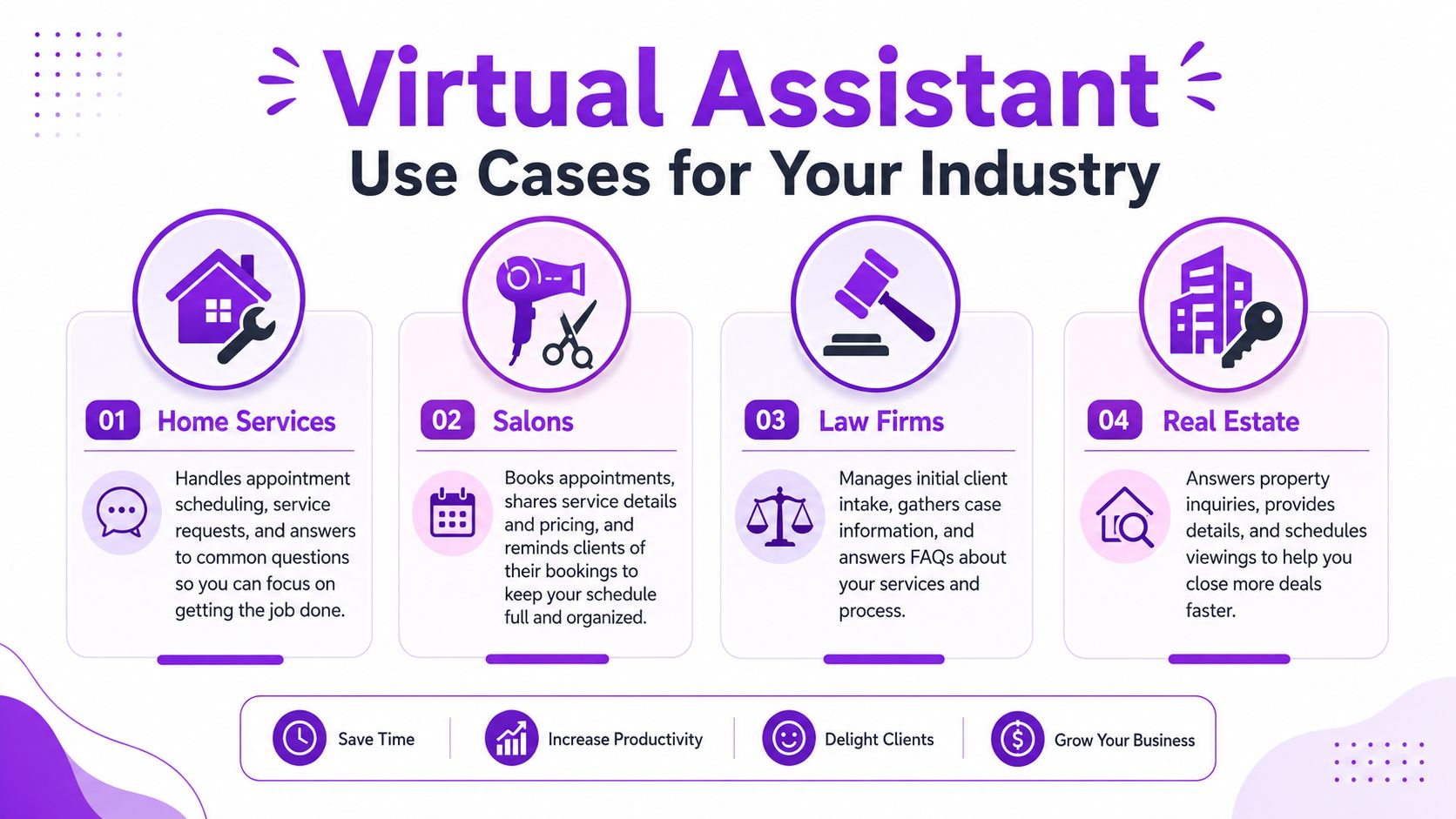
Home services
A plumber is on a water heater install when a new caller reaches out about a leak under the kitchen sink. They don’t want to leave a vague message. They want to know whether someone can come today and what to do before help arrives.
A useful assistant answers the phone, asks where the property is, finds out whether the leak is active, collects photos by text if your workflow supports that, and flags the call as urgent. If it’s after hours, it can gather enough detail for a proper morning dispatch instead of leaving your team with a voicemail that says only, “Please call me back.”
For HVAC, electrical, cleaning, and landscaping companies, the same pattern holds. The assistant handles the repetitive first touch so field staff can stay on the job.
Salons and personal care
A salon gets a call during a packed afternoon. A client wants color plus a cut before an event, needs to know whether there’s a deposit policy, and asks if a specific stylist has openings this week.
If no one answers, that customer often keeps calling down the list.
A well-trained assistant can explain basic booking rules, collect preferred times, note service combinations, and pass clean appointment requests into the calendar workflow. It also helps with lower-stakes but time-consuming calls such as directions, retail questions, cancellation policy, or whether walk-ins are accepted.
In salons, the problem usually isn’t demand. It’s protecting the desk from getting overwhelmed at the exact hour everyone wants to book.
Law firms
Law offices deal with a different type of urgency. A new prospect may call after business hours because something happened that day and they’ve finally decided to seek counsel. If they reach voicemail, they may not leave enough information for your staff to triage properly, or they may call another firm.
A virtual assistant can ask intake questions, identify the practice area, collect conflict-check basics, and route calls based on urgency. It can also answer routine operational questions that clog the front desk, such as office hours, consultation process, document requests, or parking instructions.
For legal teams, the biggest win is often consistency. Every caller gets the same intake structure instead of whatever a rushed staff member remembers to ask.
Real estate and property businesses
A renter sees a listing at night and wants to know whether the unit is still available. A buyer wants to schedule a showing before the weekend. A property management tenant calls about a maintenance issue and isn’t sure whether it qualifies as urgent.
These calls don’t arrive in tidy office-hour blocks.
A virtual assistant helps by sorting inquiry types quickly. New leads can be captured and routed. Showing requests can be organized. Maintenance calls can be categorized by urgency and directed to the right next step. That keeps agents and property managers from spending the first part of every morning digging through texts, voicemails, and sticky-note messages.
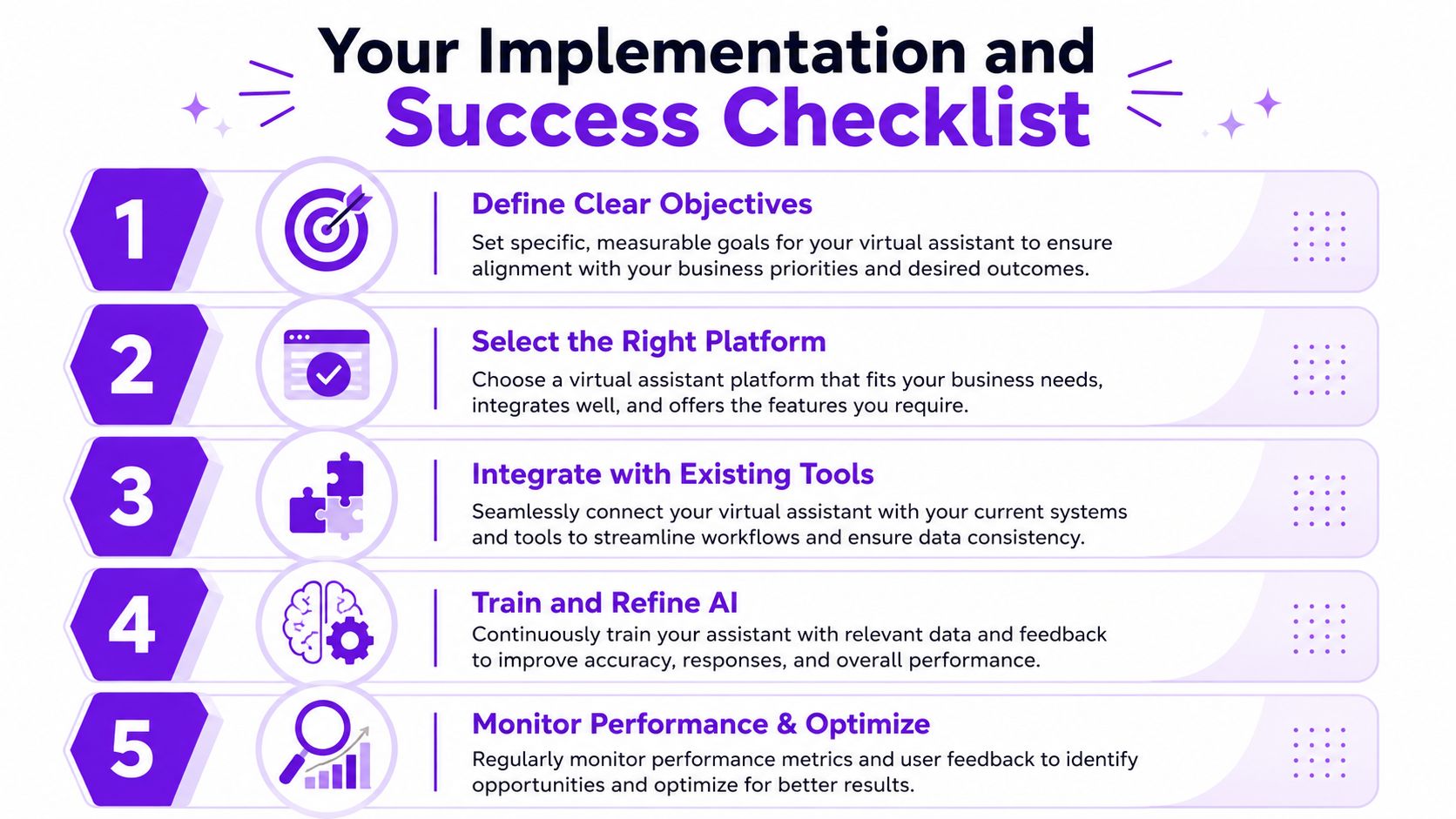
Your Implementation and Success Checklist
A virtual assistant helps small service businesses only when it is set up around the calls you get. A plumber needs one set of rules. A salon needs another. A law office needs a different intake path altogether. Good results come from clear scope, accurate business info, and a few practical rules your team will follow.
What to set up before launch
Start with the calls that interrupt your day over and over. Hours. Pricing basics. Appointment requests. Service-area questions. Reschedules. If the assistant handles those well, your staff gets time back immediately and fewer callers drop off before speaking to someone.
Use this checklist:
Define the job clearly
Decide what the assistant should handle from day one. After-hours calls, overflow, lead capture, appointment requests, basic FAQs, or a mix of those. Clear boundaries prevent messy call handling and help staff trust the system.Train it on the right business facts
Load the information a receptionist would need to answer confidently. That usually includes business hours, services, pricing guardrails, neighborhoods served, booking rules, cancellation terms, and what counts as an urgent issue.Set transfer rules
Some calls should always reach a person fast. A burst pipe, a same-day legal matter, a repeat high-value client, or a last-minute opening worth filling may need immediate handoff. Write those rules down before launch so the assistant is not guessing.Connect the systems that matter
The biggest operational win usually comes from tying phone answering to the tools you already use. If messages, caller details, and call outcomes flow into your phone system, calendar, or CRM automatically, your team spends less time retyping notes and less time chasing missing details.Test edge cases before going live
Call your own number and try real-world variations. Speak quickly. Ask vague questions. Request a reschedule. Ask about pricing. Pretend it is an urgent service call. A half hour of testing will reveal weak spots before a paying customer finds them.
What to monitor after launch
Do not judge the setup by day one. Judge it by whether your front desk has fewer interruptions, whether more callers get helped after hours, and whether your team can act on the information they receive.
Watch for these signals:
Message quality: Are summaries clear enough for staff to call back, quote, or book without replaying the whole interaction?
Routing accuracy: Are urgent or high-value calls getting to the right person quickly?
Customer confusion: If callers keep asking the same follow-up question, the assistant needs better instructions or more complete business information.
Team adoption: If staff ignore the messages or work around the process, the setup is too clunky or the rules are unclear.
Lead response time: Capturing a lead matters only if someone follows up while the job is still available.
One more point matters for small businesses. Keep the first version simple. Owners often try to make the assistant handle every possible scenario on day one, and that usually creates avoidable errors. Start with the common call types, review real conversations for two to four weeks, then tighten the script and routing rules.
A few providers make that rollout easier for lean teams. For example, Rosie’s AI receptionist answers calls around the clock, trains on your business information, filters spam, sends summaries, and supports appointment workflows. That setup makes sense for businesses that need better phone coverage without building a custom system or adding more front-desk hours.
Meet Rosie Your 24/7 Virtual Receptionist
If you strip away the buzzwords, most owners want the same thing. Answer the phone. Help the caller. Don’t interrupt my team unless it matters.
That’s the practical promise of a virtual assistant for customer service. It covers the moments when your business is unavailable, handles the repetitive questions that drain staff time, and creates a cleaner path from incoming call to booked appointment or qualified message.
For small local businesses, the right solution should be simple to launch and easy to manage. It should know your hours, services, pricing basics, and policies. It should filter junk calls, capture real leads, and give you enough detail to act without listening to a pile of voicemails once your work is done.
That’s where Rosie fits. It’s built around the exact gaps that show up in local service operations: missed calls during jobs, after-hours inquiries, repetitive front-desk questions, appointment capture, and the need for clear summaries by text or email. Instead of asking owners to become contact-center operators, it gives them a phone answering layer that behaves more like a dependable receptionist.
A lot of businesses don’t need more software. They need fewer missed opportunities. A well-set-up assistant solves that problem, one answered call at a time.
If missed calls are turning into missed jobs, Rosie gives you a straightforward way to keep your business responsive around the clock. It can answer customer calls, handle common questions, capture lead details, filter spam, and support scheduling without requiring a full-time front desk.
Drafted with Outrank tool