Your tech’s on a ladder. Your phone rings. Then it rings again while you’re under a sink, driving between jobs, or standing with a customer who already has your full attention. By lunch, you’ve got a voicemail, two half-read texts, an email asking about pricing, and no clear picture of who needs a callback first.
That’s what messy communication looks like in a local service business. It feels personal because you’re involved in everything, but it’s also chaotic, inconsistent, and expensive.
The fix is simple in concept. Build a communication system that handles the routine stuff fast, keeps the important stuff personal, and stops every call from depending on you being available at the exact right second.
Capture more real leads without living on your phone
Save time by cutting repeat questions, spam, and callback ping-pong
Give customers a better experience without sounding cold or robotic
If that’s the problem you’re trying to solve right now, start by digging into practical ideas from this business communication guide collection, or skip ahead and set up your account.
Table of Contents
Introduction
It usually starts the same way. You’re under a sink, on a ladder, or driving between jobs when the phone rings. You let it go to voicemail because you have to finish what’s in front of you. Then a text comes in. Then your office manager asks whether Mrs. Jenkins confirmed tomorrow’s appointment. By the end of the day, half your customer service lives in your call log and the other half lives in your head.
That setup can feel personal because customers know they’re getting you. It also breaks down fast once the business gets busy.
Streamlining communication for a local service business is not about sounding corporate or putting customers into a cold system. It’s about handling the repeatable stuff the same way every time, so you have more room for the conversations that need a human touch. Done right, AI helps you sound more organized and more personal, not less.
I’ve seen plenty of owners hang on to chaos because it feels like good service. In practice, it usually means missed context, late replies, and too many customer conversations depending on who happened to pick up. A better system keeps the local feel and removes the scramble.
If you want more practical advice on business communication for local service companies, start there.
You’ll learn how to keep leads from falling through the cracks
You’ll see how to reduce the constant interruption loop that eats up your day
You’ll get a practical way to stay personal without staying glued to your phone
The real cost of scattered communication
Missed calls are only the first problem
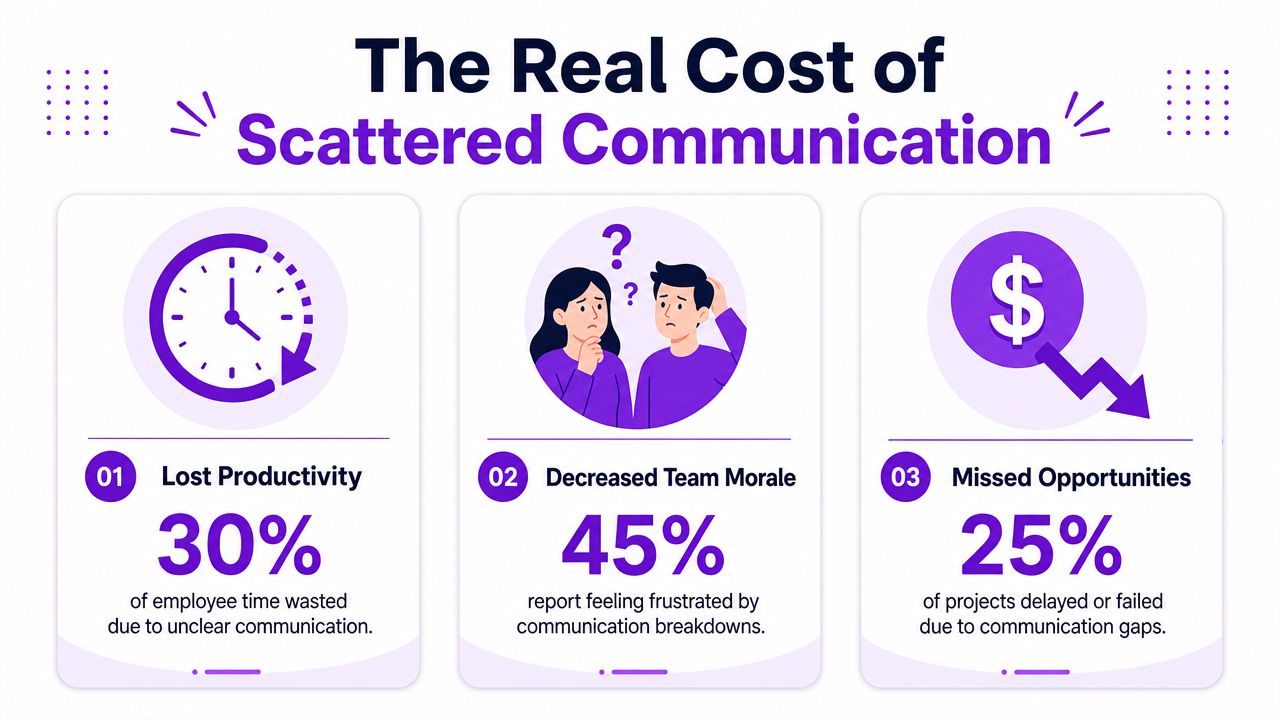
When owners talk about communication problems, they usually start with missed calls. Fair enough. That pain is obvious.
But the missed call is rarely the whole problem. Instead, the problem is that every message is handled differently depending on who saw it, when they saw it, and whether they remembered what to do next.
A widely cited PwC analysis of 10,640 projects found that 57% of projects failed due to breakdowns in communication (TeamGantt’s summary of the PwC analysis). In a small business, every estimate, job, service request, or tenant issue is its own mini project. If communication breaks down, work breaks down.
“It’s almost every day that I lost a job due to not answering the phone. Rosie can take all of those calls and handle them appropriately.”
Jason Aleman, Gutter Cowboy
That’s the direct hit. A call comes in, nobody answers, and the customer moves on.
Then there’s the slower damage. Someone calls back later without context. A team member gets only part of the message. A customer repeats their whole story three times and starts the relationship annoyed.
If you want a broader look at how communication failures pile up inside a business, it’s worth taking a minute to explore the high cost of not talking.
Chaos spreads into the whole operation
Scattered communication creates four kinds of drag.
Lead drag: good inquiries sit too long, get vague responses, or disappear into voicemail
Time drag: you and your team answer the same questions over and over
Focus drag: every ring, ping, and text breaks up real work
Trust drag: customers get different answers from different people
“Before Rosie, missed calls meant missed jobs. When the crew is out in the field all day, no one can stop to answer the phone… Now I don’t have to stress about missed calls. Rosie picks up automatically so every caller gets a response even when we’re tied up on a job.”
Francisco Fierro, Owner, Iron Volt Electric
The businesses that feel “busy all day but somehow behind” usually aren’t short on effort. They’re paying a tax on disorganized communication.
Here’s the part owners often miss. Customers don’t judge your internal chaos kindly. They only see whether it was easy to reach you, whether they got a clear answer, and whether the next step happened without friction.
Your game plan for streamlining communication
Map every place customers and staff reach you
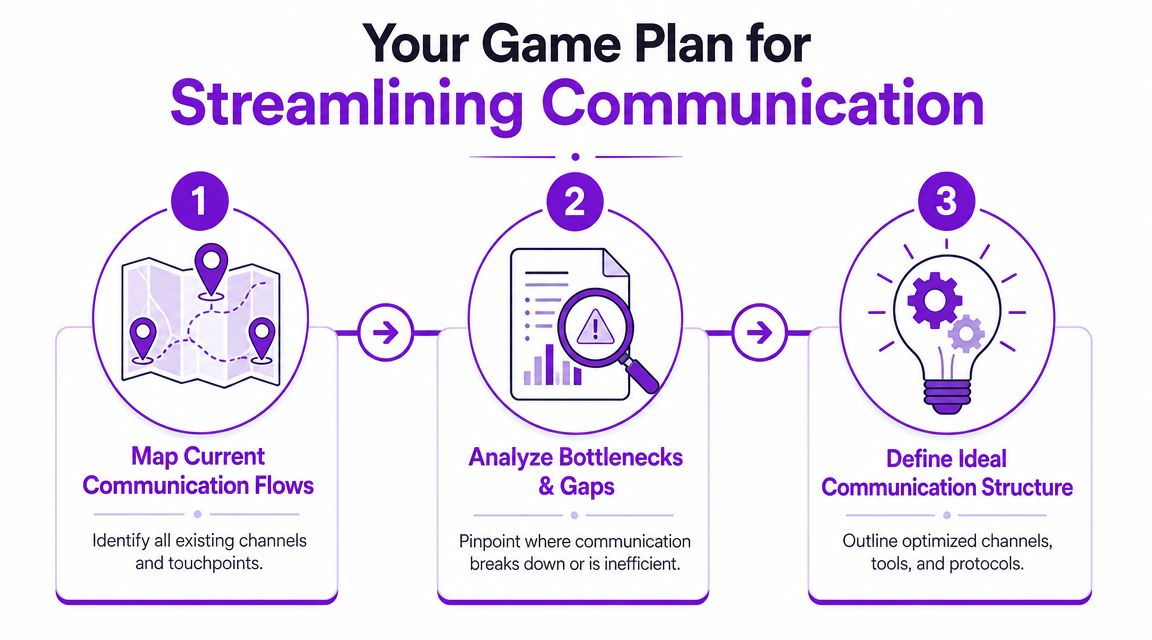
Before you change tools, map the mess.
Write down every place communication starts or gets handed off. Phone calls. Texts. Website forms. Google Business Profile messages. Email. Job management software chat. DMs if customers use them anyway. Internal handoffs between office staff and field staff.
The point isn’t to admire the map. It’s to find where messages stall, duplicate, or disappear.
A simple table works well:
Channel | Who sees it first | Common issue |
|---|---|---|
Calls | Owner or office | Missed during jobs |
Texts | Mixed team access | No clear ownership |
Office inbox | Slow responses | |
Website forms | Admin | Leads sit overnight |
Once you can see the flow, patterns jump out fast.
Decide what gets automated and what stays human
Many businesses misstep in this regard. They either automate almost nothing, or they try to automate every touchpoint and make customers feel like they’re talking to a wall.
Use a simple rule.
Practical rule: Automate the repeatable parts. Keep humans for urgency, exceptions, emotion, and judgment.
Good candidates for automation include hours, service areas, basic pricing ranges if you share them, appointment requests, directions, intake questions, and spam filtering. Keep a person in the loop for angry callers, complex legal or financial questions, emergencies that need triage, and any situation where trust matters more than speed.
That’s also why your workflow matters more than the app itself. The question isn’t “Can this tool answer calls?” The question is “What happens after the call, and who owns the next move?”
If you’re tightening up follow-up alongside phone handling, it’s useful to review how teams structure outbound email too. This piece on Robotomail’s email infrastructure for AI is a good example of thinking through workflow before adding more automation.
Build one source of truth
If your office manager answers one way, your tech answers another way, and your website says something slightly different, customers feel the wobble.
You need one place where the business answers live. Not a giant manual. Just the practical stuff people ask every day.
Start with:
Service basics: what you do, what you don’t do, and where you work
Scheduling rules: booking windows, same-day limits, reschedule policy
Pricing guidance: what you can quote quickly and what needs an estimate
Call routing: what should be booked, what should be transferred, what should be logged
Escalation triggers: emergency terms, high-value jobs, VIP clients, legal issues
For a local business, this “source of truth” can be a cleaned-up FAQ, your Google Business Profile details, your service pages, and a short internal note on edge cases. Keep it tight. Keep it current.
If your website is messy, fix the customer-facing language first. Any tool that scans your site or profile for business details can only be as clear as the information you give it.
Putting your plan into action with the right tools
Start with the front door
For most local businesses, the front door is still the phone.
That’s why this is usually the highest-return place to clean things up first. Grammarly research found knowledge workers spend up to 38.9 hours per week communicating, as summarized in Zoom’s workplace communication roundup (Zoom workplace communication statistics). For an owner, that means a huge chunk of the week disappears into answering, forwarding, clarifying, and following up.
A practical setup looks like this:
Answer every inbound call
Qualify the caller
Answer routine questions
Book the next step or send a link
Transfer only the calls that need a human now
Log the conversation so nobody starts from zero later
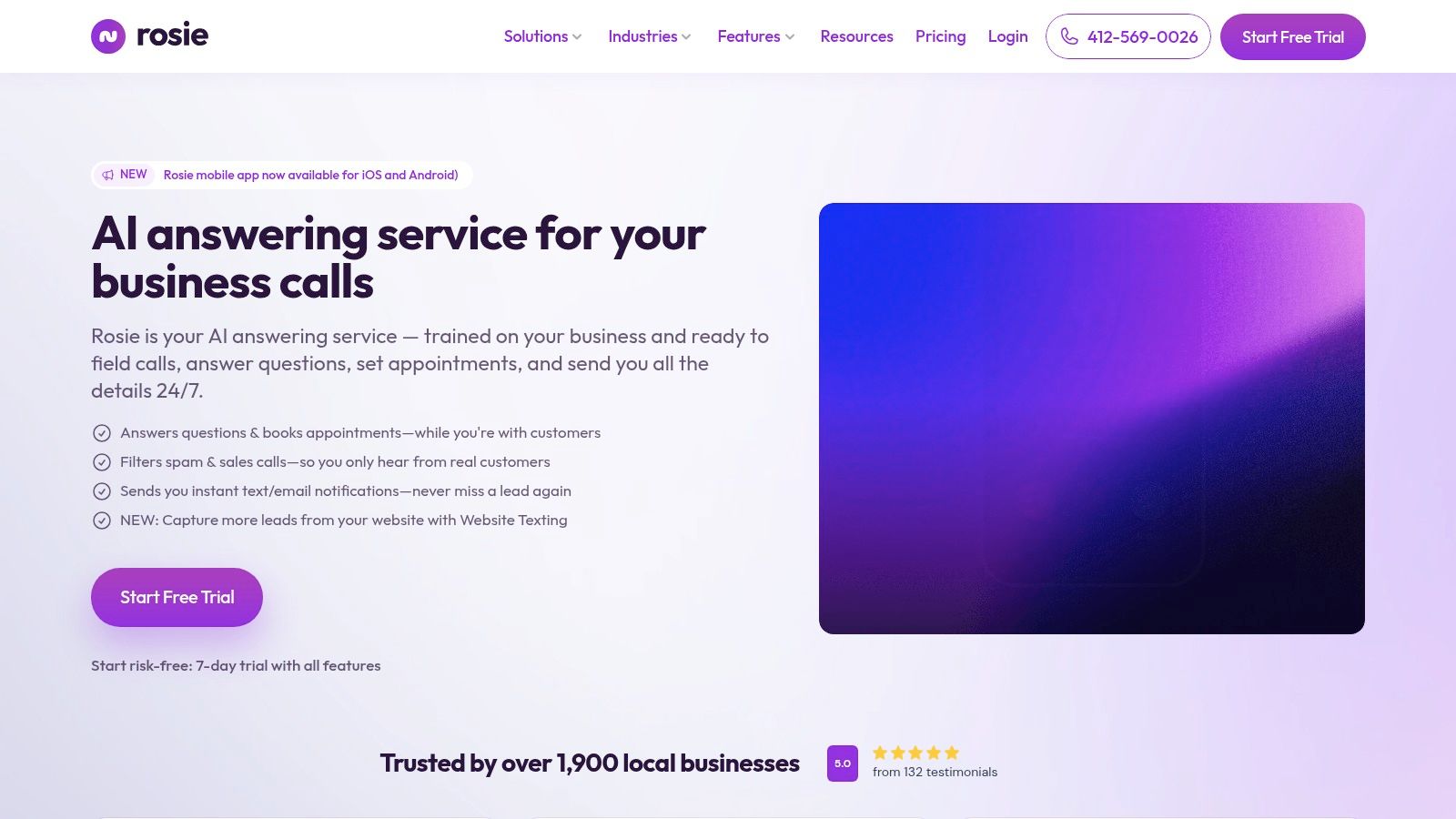
One option is Rosie, an AI phone answering system that can answer calls, qualify leads, answer questions using your business knowledge, book appointments, transfer calls, and filter spam. It scans your website or Google Business Profile for business details, then you tighten it up with FAQs and call handling rules.
That matters because “take a message” isn’t enough anymore. Owners need a system that moves the call forward.
“She doesn’t just take a name and number, she asks the right questions about what services they need… By the time I call them back, I already know exactly what they’re looking for and can jump straight into offering solutions instead of spending 10 minutes on discovery. It’s turned every callback into a warm conversation, and that’s helped me maintain my 95%+ conversion rate on consultations.”
Derek Goodson, Founder, Next-Level Marketing Agency
Use text for speed and humans for exceptions
A lot of routine communication is better handled by text after the call.
Send the booking link. Confirm the appointment. Share the address request. Send the intake form. Let the customer respond without waiting on hold or playing phone tag.
That’s where streamlining communication becomes more personal, not less. You remove the frustrating parts so the authentic conversation starts with context instead of confusion.
“People tell me all the time, you’re really easy to do business with. I called, I got the link sent to me, the pricing was there, I booked an appointment and you showed up to the job.”
Jason Aleman, Gutter Cowboy
Keep your human handoff rules simple:
Transfer now for emergencies, active clients with urgent issues, or high-value prospects
Text and book for standard inquiries and scheduling
Capture and review for questions that need research
Block or filter obvious spam and junk calls
If you want outside perspective on where to automate first across admin work, a good AI automation agency can help map the broader workflow around phones, forms, and follow-up.
Review the conversations, not just the call count
If you only track how many calls came in, you’ll miss what matters.
Look at transcripts, summaries, and recordings. That’s how you catch weak answers, missing policies, confusing wording, and handoff mistakes. It’s also how you train the system to sound more like your business and less like generic office speak.
“What we love most is how it captures every call and delivers both a full dialog transcript AND the actual recording straight to us. No more wondering what was said or missing important details. Everything is documented perfectly, every time. Our whole team is obsessed with this feature.”
Dean Konstantine, McKnight
Ford Wright from Pacific Power Washers put the bar in plain terms: “We have tried other AI receptionists, but they sounded robotic and worse, misspelled contact info, making it worthless.”
That’s the right standard. If the system can’t capture details cleanly and keep the conversation natural, it creates new work instead of reducing it.
How to know if it’s working
Track a small set of signals
Don’t build a dashboard circus. Track a few numbers and a few obvious customer signals.
A good starting scorecard looks like this:
What to track | Why it matters |
|---|---|
Missed call rate | Shows whether coverage improved |
Qualified lead capture | Tells you if real opportunities are being documented |
Booking rate from inbound calls | Shows whether calls turn into next steps |
Response time to priority calls | Reveals whether urgent issues get fast attention |
Repeat-question volume | Tells you if customers are getting clear answers |
Spam interruption level | Shows whether your team is getting protected |
If you want a cleaner baseline on dropped opportunities, this guide on call abandonment rate is useful context.
Look for better answers, not just more activity
A common mistake is celebrating volume. More messages sent. More calls answered. More notifications.
That’s not the win.
Industry guidance on communications metrics warns that teams often optimize for delivery instead of comprehension, and one survey found 30% of professionals say they often or very often miss key updates (Selerix on communication metrics). In a local business, the same idea applies. A fast answer that’s wrong, vague, or incomplete still creates friction.
Track whether customers got a fast, correct answer and a clear next step. That’s the result that changes revenue and stress level.
Use a simple weekly review:
Pull a handful of transcripts
Check whether the answer was accurate
Check whether the caller got to the right next step
Note where a human should’ve stepped in sooner
Update your FAQs or call rules
You’ll know the system is working when your team asks fewer “What did this person need?” questions, customers repeat themselves less, and your day feels less chopped up.
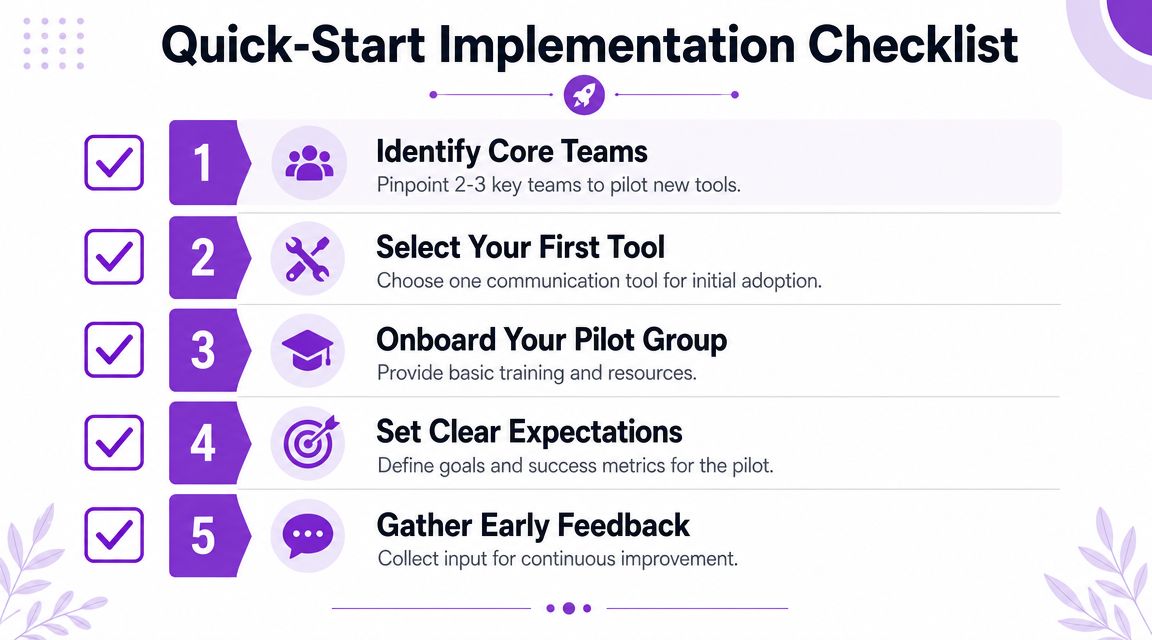
Your quick-start implementation checklist
A simple rollout that won’t hijack your week
You do not need a massive operations project to get this moving.
You need one clean pass through the basics, then a short review once real calls start coming in.
Use this checklist:
List your top inbound call types
Write down the common reasons people contact you. New quote, appointment request, emergency, billing question, service-area check, hours, and vendor spam are usually enough to start.Write the answers you give all the time
Keep them short and plain. If a customer asks this question every week, document it once.Set your handoff rules
Decide what gets booked, what gets transferred, what gets a text follow-up, and what gets logged for later.Connect the tools you already use
Calendar, booking links, email alerts, text notifications, whatever your team already lives in. Don’t add five new systems at once.Review real conversations and tighten the wording
The first round won’t be perfect. That’s normal. Fine-tune answers, add missing FAQs, and sharpen escalation rules.
Keep the first version boring and useful. Fancy workflows can wait. Clear handling beats clever handling every time.
The fastest wins usually come from fixing the routine traffic first. That frees you up to give your best attention to the calls that really need your judgment.
Get your time back starting today
A lot of local businesses start out proud of how personal they are. The owner answers the phone, remembers names, squeezes people in, and keeps everything moving by feel. That works until every ring pulls you out of a job, dinner, or a real conversation with a paying customer.
The goal is not to turn your shop into a call center. The goal is to make the routine parts consistent so you can stay personal where it counts. A tool like Rosie can handle the repeat questions, capture the basics, and pass along the calls that need your judgment.
That trade-off is worth making.
You get fewer interruptions. Customers still get a fast, helpful response. And when someone needs the human side of the business, you have the time and headspace to give it to them.
Frequently asked questions
Will customers get turned off if AI answers the phone
They’ll get turned off by confusion, slow responses, and bad handoffs faster than they’ll get turned off by automation.
What matters is whether the interaction feels helpful. Edgar Quinteros of The Copier Guy said, “The response with callers is so real, sometimes customers don’t know it’s AI.” If the caller gets a clear answer, the right next step, and a smooth transfer when needed, convenience often takes precedence over the technology behind it.
How much setup does this actually take
Less than most owners expect.
The fastest setup comes from using information you already have. Your website, Google Business Profile, business hours, service list, and a short FAQ cover most of the foundation. From there, you tighten the details based on real conversations instead of trying to predict every edge case upfront.
Can this work for a team or multiple locations
Yes, if you set routing rules clearly.
That means deciding which calls belong to which location, who gets notified, what should be booked automatically, and what needs escalation. Daniel Terner of Terner Elder Law, P.L. put it well: “It can’t be easy to develop a product that is both super-configurable yet also easy to use, Rosie strikes this balance extremely well.” The same principle applies whether you’ve got one office, a field crew, or several locations sharing the same phone load.
If your phone is still running your day, Rosie gives you a practical way to answer every call, qualify leads, book appointments, and keep the personal touch without staying glued to your phone.