
A virtual receptionist is a system that answers your business calls and takes action, not just messages. It can book appointments, answer common questions, qualify leads, and route calls, and the market for these services was valued at $1.94 billion in 2025 with a projection of $4.2 billion by 2030.
If you run a small business, you already know the problem. The phone rings when you’re on a ladder, under a sink, in court, with a client, or driving between jobs. You can’t answer. The caller doesn’t leave a useful voicemail, or they hang up and call the next company.
That’s where a virtual receptionist earns its keep. Not as some fancy extra. As basic protection against missed calls, lost jobs, and a front desk you don’t have time to run yourself.
Table of Contents
Your Phone Is Ringing but You Cannot Answer
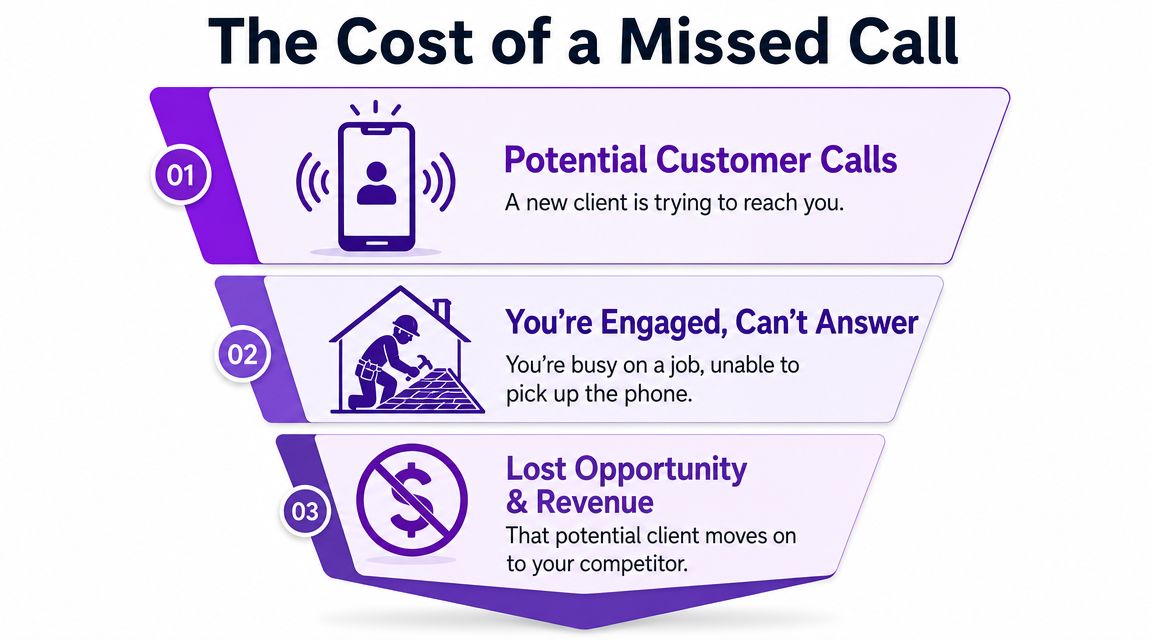
The plumber is under a house. The HVAC tech is in a hot attic. The lawyer is in court. The roofer is halfway up a ladder. The phone rings anyway.
That call might be a real job. It might be someone ready to book today. But if you miss it, you usually don’t get a second chance. Most small business owners aren’t lazy or disorganized. They’re just doing the work and trying to answer the phone at the same time.
This is the part people underestimate. Missed calls aren’t just missed conversations. They’re missed estimates, missed appointments, and money handed to the next business that picked up.
Why this problem keeps getting bigger
A lot more businesses are trying to solve this than they were a few years ago. The global virtual receptionist market was valued at $1.94 billion in 2025 and is projected to reach $4.2 billion by 2030, with the AI-powered segment growing at 28.5% annually according to market data on virtual receptionist growth.
That doesn’t matter because trends are interesting. It matters because small businesses are tired of bleeding leads while they’re busy doing the actual work.
Practical rule: If your business depends on inbound calls, your phone process is part of sales, not admin.
What missed calls really mean
You don’t just lose one call. You create extra work after the fact.
You chase voicemails: Half of them are vague, incomplete, or impossible to understand.
You play phone tag: The customer called when they were ready. Later isn’t the same.
You train people to move on: If nobody answers, they assume you’re too busy or too hard to reach.
If this is happening every week, you don’t need another reminder to “follow up faster.” You need a system that answers in the first place. If that’s your biggest headache, this guide on how to stop losing leads to missed calls is worth reading next.
What a Virtual Receptionist Actually Does
A lot of people hear the phrase and think it means a nicer voicemail. That’s the wrong definition.
A virtual receptionist is a remote front desk for your business. It answers calls, routes them, takes messages, schedules appointments, and handles common questions without needing someone sitting at a desk in your office. Depending on the setup, it can also screen spam and cover calls around the clock.
The difference between taking a message and taking action
The old model was simple. Caller talks. Service writes something down. You deal with it later.
The better model is action.
A modern virtual receptionist should handle the stuff that usually interrupts your day:
Answer basic questions: Hours, services, service area, pricing basics, next steps.
Qualify new leads: Figure out what the caller needs before it lands in your lap.
Book appointments: Put the caller on your calendar instead of adding another callback.
Transfer urgent calls: Send the right calls to the right person when they need a human.
If a service only gives you a pile of messages, it’s helping a little. If it books work and filters noise, it’s solving the core problem.
What good coverage looks like in practice
The useful features aren’t glamorous. They’re practical. Common capabilities include 24/7 coverage, automatic call transcription, and the ability to handle unlimited parallel calls, which removes the single-line bottleneck of a traditional desk phone, as described in this breakdown of virtual receptionist features.
That matters on busy days. One call shouldn’t block the next one. A missed call because your line was tied up is a dumb way to lose business.
The right setup shouldn’t create more admin for you. It should remove it.
My advice for small business owners
Don’t shop for a “virtual receptionist” based on the label. Shop for outcomes.
Ask these questions instead:
Can it answer real customer questions?
Can it book jobs or consultations?
Can it pass along urgent calls fast?
Can it filter junk so you don’t get interrupted by spam?
If you want to see what that kind of setup looks like, this page on virtual answering service options shows the difference between simple call coverage and an action-taking front desk.
How It All Works Without the Tech Talk
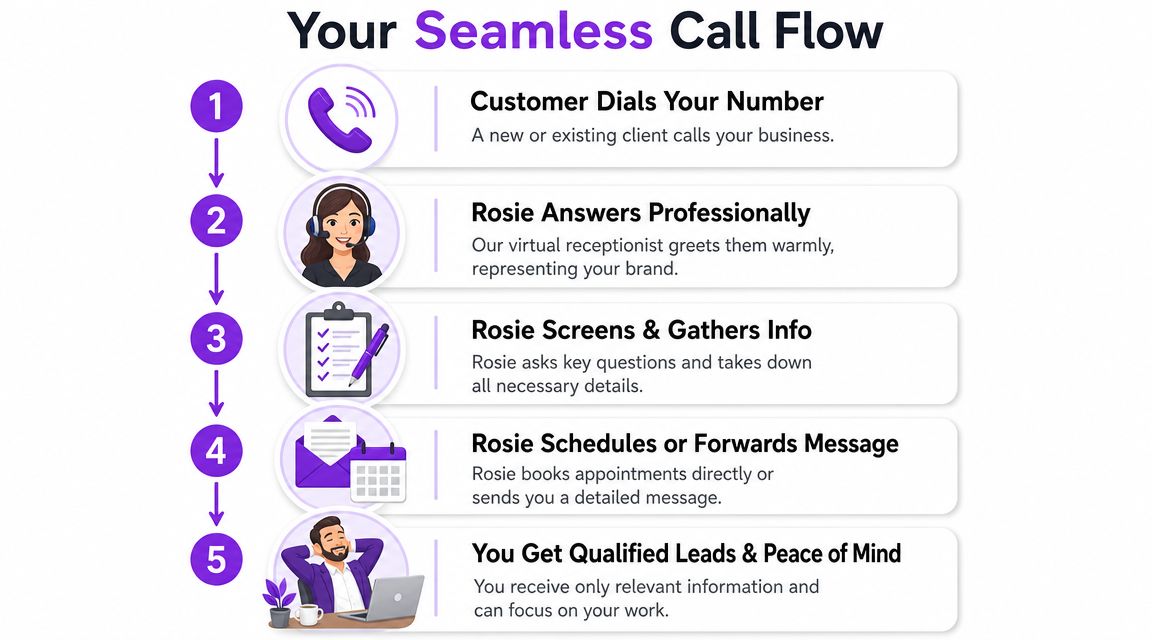
Here’s the simple version. A customer calls your business number. The system answers with your business greeting, figures out what the caller needs, and either handles it or sends it where it needs to go.
Under the hood, these systems sit on top of your phone setup and automate greeting, menu logic, and routing before a person has to step in, which is why they reduce front-desk workload so effectively according to Vonage’s explanation of virtual receptionist call routing. You don’t need to care about the plumbing. You just need it to work.
What the call flow feels like
Most owners overcomplicate this in their heads. In real life, it usually looks like this:
The customer calls your number. They don’t need to learn a new number or chase you on your cell.
The caller gets an immediate answer. No endless ringing. No generic mailbox.
The system asks a few useful questions. Name, reason for calling, timing, urgency, and whatever else matters to your business.
It does the next step. That could mean booking, transferring, or taking a detailed message.
You get the summary. Text, email, transcript, or call notes so you can act fast if needed.
Why this matters beyond the phone
This isn’t just about answering calls. It’s about keeping your intake process tight. If your website forms, chat, and phone all work together, fewer leads slip through the cracks. If you’re trying to tighten up that side of the business, this guide on forms, chat, and AI for small business is a useful companion read.
Good call handling should feel boring. The customer gets help. You get the details. Work keeps moving.
What you need to set it up
Usually, not much.
Your business info: Hours, services, location, FAQs.
Your call rules: What gets booked, what gets transferred, what gets screened.
Your notifications: Where you want summaries sent.
This isn’t an office remodel; it’s a better way to catch calls while you’re busy making a living.
Virtual Receptionist vs The Alternatives
You really have four choices. Ignore calls and hope voicemails work. Use a traditional answering service. Hire an in-house receptionist. Or use a virtual receptionist that can do things for you.
For most small businesses, this isn’t a hard decision once you look at cost and capability together.
Comparing your front desk options
Option | Typical Monthly Cost | Availability | Key Capability |
|---|---|---|---|
Voicemail only | Varies by phone setup | Limited | Takes messages if callers bother leaving one |
Traditional answering service | Varies by provider | Often after-hours or overflow | Usually takes messages and passes them on |
Virtual receptionist | $250 to $500 per month | Can support continuous coverage | Answers, routes, schedules, and handles common questions |
In-house receptionist | Roughly $35,000 to $45,000 annually | Business hours unless you add shifts | Live front-desk support in-house |
One industry guide estimates a small-business virtual receptionist service typically costs $250 to $500 per month, compared with an in-house receptionist at roughly $35,000 to $45,000 annually, which the same source says can mean 85% to 95% lower staffing cost versus a full-time hire according to this virtual receptionist pricing comparison.
Where each option breaks down
Voicemail is the cheapest way to lose work. It pushes the burden back on the customer. A lot of them won’t bother.
Traditional answering services can still help, especially if all you want is basic coverage. But many stop at message-taking. That’s better than dead air, but it still leaves you with callbacks, scheduling, and sorting out who was serious.
An in-house receptionist gives you a real person in the office. That’s useful if your front desk handles walk-ins, paperwork, and a lot of internal coordination. But it’s expensive, limited by schedule, and harder to justify if your problem is mostly phone coverage.
A modern virtual receptionist makes the most sense when your main issue is this: the phone rings while you’re working, and someone needs to handle it right away.
My recommendation
If you’re a local service business, solo operator, or small team, don’t jump straight to payroll if your real issue is call handling. Start with coverage that answers every time and takes the next step.
Real estate teams think about this the same way when they look at outsourced front-desk help and admin coverage. If that applies to you, these RealEstateCRM virtual assistant strategies are a solid example of how owners use remote support to stay responsive without hiring too fast.
Is a Virtual Receptionist Right for Your Business
It’s right for your business if your phone rings when your hands are full. That’s the plain answer.
The owner who gets the most value isn’t sitting at a front desk waiting for calls. They’re doing the job, managing a crew, meeting clients, driving between sites, or buried in admin. If that’s you, a virtual receptionist fixes a very specific problem.
Home service businesses
An HVAC tech is in a crawlspace and can’t grab the phone. A caller wants to know if you service their area and how soon someone can come out. If nobody answers, they call the next company.
A plumber is at a shutoff valve with water everywhere. The incoming call isn’t just noise. It could be tomorrow’s work, or tonight’s emergency, and it needs a response now, not after the current job wraps.
A gutter installer on a roof doesn’t have time to stop, explain services, send pricing, and set an appointment. The business still needs that call handled.
If your work pulls you away from the phone, your intake process can’t depend on you personally answering every call.
Law firms and professional services
A solo attorney can’t answer intake calls while meeting a client or standing in court. That doesn’t mean those calls aren’t important. It means someone or something needs to screen them, gather details, and separate urgent matters from dead ends.
Property managers deal with the same thing. Tenants, vendors, prospects, and owners all call for different reasons. If every call lands in one pile, your day gets hijacked.
Small teams that don’t want another hire
Some businesses aren’t trying to build a big office. They just want the phone handled without adding another employee.
That’s where a virtual receptionist makes sense:
You miss calls during jobs: Common in trades, field service, and mobile businesses.
Your team is small: Everyone already wears three hats.
You need consistency: Customers should get the same clear answer every time.
You want fewer interruptions: Only urgent or high-value calls should hit your phone.
Businesses that benefit most
The fit is strongest when calls lead directly to booked work or qualified consultations.
That usually includes:
Trades and home services: Plumbing, HVAC, electrical, roofing, cleaning, landscaping
Professional offices: Law firms, real estate offices, property management
Appointment-based businesses: Salons, spas, auto shops, repair services
If your phone is mostly support for existing clients and rarely drives new revenue, this may matter less. But if inbound calls are how jobs get won, then yes, it’s worth putting a real system in place.
How Rosie Gets It Done for Your Business
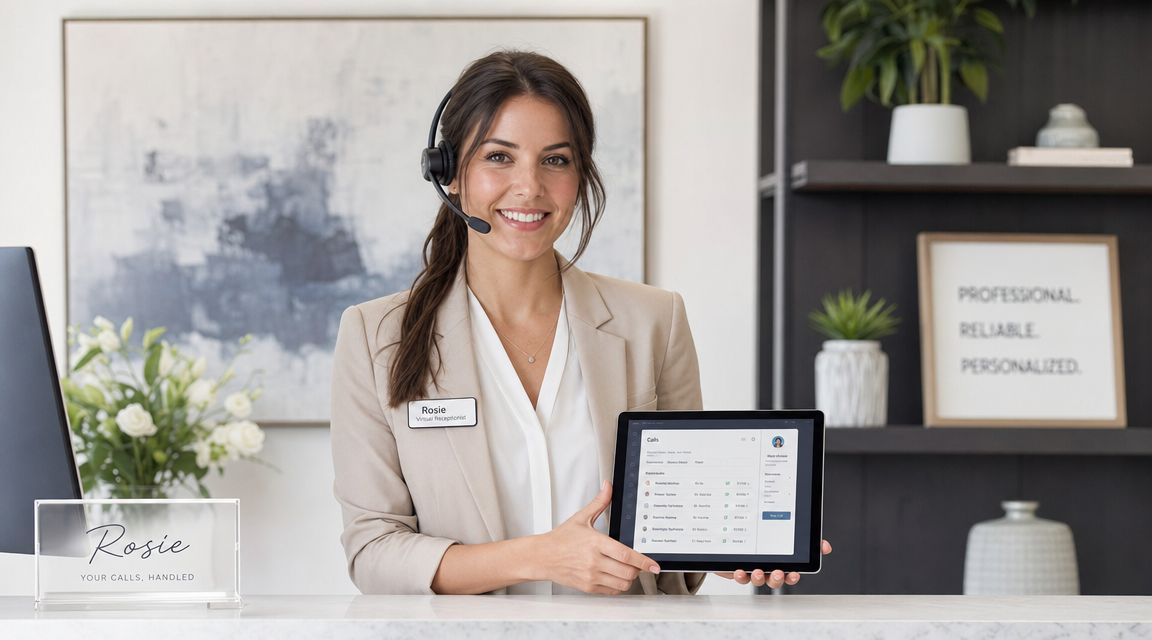
Rosie is one example of this model done in a practical way. It answers calls around the clock, uses your business information to answer common questions, takes detailed messages, can book appointments, transfer priority calls, and filter spam so you don’t get interrupted by junk calls. If you want the product details, you can look at the Rosie AI receptionist.
Why this kind of setup works for small teams
The big win isn’t that it sounds impressive. The big win is that it handles the front desk work that usually falls back on the owner.
That means fewer interruptions during jobs, fewer missed leads after hours, and fewer “I’ll call them back later” moments that never happen. It also keeps the customer experience cleaner. People get answers, next steps, and a response right away.
The best system is the one you’ll actually use. It should fit your business, not force you to run your business around it.
Frequently Asked Questions
Does a virtual receptionist sound robotic
It can if you pick a clunky system.
The old version of this category trained people to expect stiff scripts, long pauses, and dead-end phone menus. You should expect more now. A modern virtual receptionist should sound clear, keep the call moving, and help the caller get something done.
That means answering basic questions, collecting the right details, and taking the next step, like booking an appointment or passing along an urgent call. When the setup is solid, the conversation feels normal enough that callers stay focused on getting help, not on how the phone is being answered.
Is a virtual receptionist the same as an auto attendant
No. They solve different problems.
An auto attendant routes calls through a menu. A virtual receptionist handles the conversation and helps the caller reach an outcome. That difference matters. Nextiva’s guide to virtual receptionist vs auto attendant explains the same distinction.
Here is the simple version:
Auto attendant: “Press 1 for sales, press 2 for support.”
Virtual receptionist: Answers questions, screens the call, qualifies the lead, and helps the caller move forward.
If you only need basic routing, an auto attendant can do the job. If you want fewer missed opportunities, better lead intake, and booked appointments instead of voicemails, you need more than a menu.
Will this create more work for me
It shouldn’t. If it does, the setup is wrong.
The whole point is to take work off your plate. A good virtual receptionist cuts down on callbacks, filters out junk, and gives you useful notes when you need to step in. You should not have to sort through every recording or rebuild every conversation from scratch.
How do I know if I should get one now
Ask yourself two questions.
Are you missing calls because you’re busy doing the work?
Are those missed calls turning into lost jobs, slow follow-ups, or frustrated customers?
If yes, stop waiting. You do not have a discipline problem. You have a coverage problem.
If your business wins work over the phone, stop treating call handling like an afterthought. Rosie gives small businesses a way to answer every call, handle common questions, book appointments, and pass along the calls that warrant your attention. It’s a simple fix for a costly problem.