That missed call just cost you a job.
It’s 2 PM on a Tuesday. You’re halfway through an install, one hand on a ladder, the other trying not to drop a drill, and your phone starts buzzing in your pocket. You can’t answer. You tell yourself you’ll call back when the job’s wrapped.
By then, the caller has already hired the company that picked up first.
Jason Aleman at Gutter Cowboy put it plainly: “It’s almost every day that I lost a job due to not answering the phone.” That’s the fundamental problem with phone coverage. It’s not just inconvenience. It’s lost work, stressed-out crews, and a business owner who feels chained to a ringing phone.
The fix isn’t a prettier voicemail greeting. It’s a real call-handling system with scripts for answering phone calls that qualify leads, book jobs, and move urgent calls where they need to go.
In this guide, you’ll get practical scripts and setups to help you:
Capture serious leads every time: even when you’re driving, on-site, or closed
Book and route calls faster: without turning every call into a long back-and-forth
Screen junk and surface urgency: so your team only gets interrupted when it matters
If you want a faster way to put this in place, you can set up Rosie here.
Table of Contents
The pain
Why good businesses still lose calls
A lot of missed-call problems have nothing to do with bad service.
They happen because the owner is in the field, the front desk is juggling walk-ins, or the office line rolls to voicemail right when everyone gets slammed. The person calling doesn’t know any of that. They just know whether someone answered.
That first moment matters more than a lot of owners want to admit. A 2025 Ruby Receptionists study cited by My AI Front Desk found that 75% of callers preferred speaking with a live person rather than navigating an automated system. If your business lives on inbound calls, the greeting isn’t just manners. It’s part of the sale.
Practical rule: If a caller has to work to reach you, they’ll often stop trying.
For plumbers, electricians, roofers, salons, law offices, and real estate teams, a missed call usually isn’t random curiosity. It’s someone with a problem right now.
Why basic scripts still fail
A lot of scripts are too thin to be useful.
They say hello, maybe ask for a name, then dump the hard part on a person who has to call back later with no context. That creates repeat questions, weak handoffs, and callers who feel like nobody listened.
Good scripts for answering phone calls have structure. The strongest ones use separate blocks for greeting, caller ID, discovery, hold or transfer handling, and closure, with key details like the caller’s name, callback number, and reason for calling collected before the call ends, as outlined in Ever Help’s guidance on phone call scripts.
That’s the difference between “we took a message” and “we captured an opportunity.”
The agitation
What a bad call flow costs you
The obvious loss is the booking you never got.
The less obvious loss is what happens inside the business. Techs get interrupted for calls that should’ve been filtered. Office staff waste time chasing half-complete notes. Sales calls start cold because nobody gathered the basics.
Then there’s the caller experience. If someone gets put on hold without warning, bounced to the wrong person, or asked to repeat everything twice, trust drops fast. That’s especially rough in high-stakes calls like legal intake, electrical hazards, or property issues.
A weak script doesn’t just miss details. It makes your business sound disorganized.
There’s also a compliance angle when you’re saving recordings or summaries. If your setup includes recorded calls, it’s worth understanding the rules before you switch it on. This call recording compliance guide is a good place to start.
Where manual call handling breaks down
Manual systems break at the exact moment volume spikes.
Lunch rush. Storm damage day. Monday morning. End of month. The owner is driving, the admin is out, and the phone tree that seemed “good enough” turns into dead air and callbacks that happen too late.
That’s why after-hours and missed-call recovery need their own scripts. Current guidance around phone handling puts more emphasis on hold permission, estimated wait times, message templates, and clear next-step promises, not just greetings, as discussed in Call24’s write-up on answering phone call scripts.
The businesses that stay easy to do business with usually have one thing in common. They stopped treating calls like interruptions and started treating them like workflow.
The solution
1. Service inquiry and availability check script
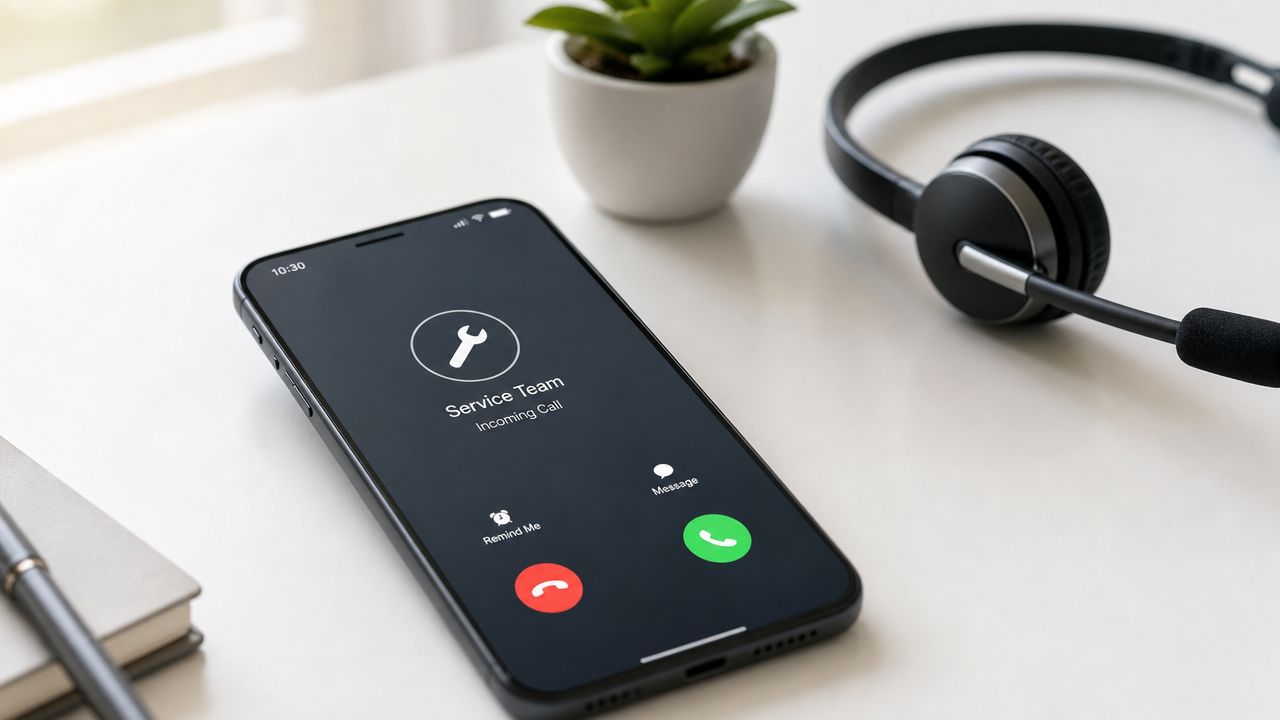
This is the script most shops need first.
A caller wants to know if you handle a job, whether you serve their area, and how soon you can get there. If your script gets clunky here, everything backs up. If it’s clean, you either book the work or move the lead into the right next step.
What the script should sound like
A solid opener is short and clear:
“Thanks for calling [Business Name], this is Rosie. How can I help you today?”
From there, the script should confirm four things in order:
Service type: What exactly does the caller need done
Location: Is the address in your service area
Timing: Is this urgent, same-day, or flexible
Callback path: What’s the best number in case the call drops
For service businesses, Rosie can answer questions based on what she scans from your website or Google Business Profile, then use your FAQs and custom scenarios to respond in your voice. That matters when someone asks if you install a specific fixture, offer seasonal HVAC service, or handle same-day plumbing calls.
Where it works best
Think about three common cases.
A plumbing company gets a call about a leak. The script should quickly separate “dripping under sink” from “water coming through ceiling.” An HVAC company gets spring and summer calls asking whether AC service is available this week. A salon caller wants to know if a specific service is offered and whether there’s an opening this afternoon.
The script should never force a caller through a maze. It should guide them toward one of three endings:
Book it now
Send to a person
Capture for follow-up with full details
Francisco Fierro of Iron Volt Electric said, “Before Rosie, missed calls meant missed jobs. When the crew is out in the field all day, no one can stop to answer the phone… Now I don’t have to stress about missed calls. Rosie picks up automatically so every caller gets a response even when we’re tied up on a job.”
2. Pricing and quote request script
Price questions can waste a lot of time when the script is either too vague or too eager.
If you quote too early, you box yourself in. If you refuse to say anything, the caller assumes you’re expensive or hiding the ball. The right script gives enough to keep the conversation moving while gathering what you need for a real estimate.
Ask enough to price responsibly
A cleaning company may need square footage, frequency, and whether it’s a move-out. A yard service provider may need lot size, cleanup needs, and whether hauling is included. A contractor may need job type, rough timeline, and a few details about materials or scope.
That means the script should sound more like guided intake than a pricing dodge.
“I can help with that. To point you in the right direction, can I ask a few quick questions about the job?”
That one line lowers resistance and keeps the call conversational.
If you sell online or use web forms for estimates, it can also help to pair your phone workflow with a simple request form. For teams that want an example, these quote request form ideas are useful for thinking through the fields you need.
A practical quote flow
Use this order on price calls:
Start broad: What service are you looking for
Narrow scope: Where is the job and what are the key details
Check fit: Is this a standard service or something custom
Set next step: Ballpark, site visit, callback, or booking link
For simple jobs, a rough range may be enough. For custom work, the script should say that accurate pricing depends on details and then collect those details cleanly.
Derek Goodson explained why this matters: “She doesn’t just take a name and number, she asks the right questions about what services they need… By the time I call them back, I already know exactly what they’re looking for and can jump straight into offering solutions instead of spending 10 minutes on discovery.”
That’s what a good pricing script does. It protects your margin and shortens the sales cycle.
3. Emergency service and priority call transfer script
Emergency calls need a different temperament.
The script has to stay calm, move fast, and avoid turning every inconvenient problem into a midnight transfer. If you run plumbing, electrical, lockout, restoration, or pest control, sloppy scripting proves costly.
Separate urgent from merely inconvenient
The American Dental Association’s phone guidance is a useful benchmark here because it treats scripts like operational systems, not pleasantries. It advises teams to answer within three rings, speak slowly and clearly, and confirm urgent information before passing it on.
That same mindset works in home services.
Start with one blunt question: “Is anyone in immediate danger, or is there active damage happening right now?” Then route based on your own emergency rules. A burst pipe at 2 AM is different from a faucet that’s been dripping for two weeks. A sparking panel is different from a dead outlet in a guest room.
A transfer script that doesn’t create chaos
When a call qualifies as urgent, the script should do three things before transfer:
Confirm contact info: Name, callback number, and address
Summarize the issue: One clean sentence your on-call person can read fast
Set expectation: Tell the caller what happens next
If a transfer is needed, use a process that asks permission for hold, gives a realistic wait estimate, and passes context forward so the customer doesn’t repeat the story. If you’re building this workflow inside Rosie, this guide on how to transfer calls shows what that handoff can look like.
Don’t wake up your on-call tech for “urgent pricing.”
You also want the script to reject spam and low-value interruptions. That’s one of the places automated handling earns its keep.
4. Appointment booking and rescheduling script
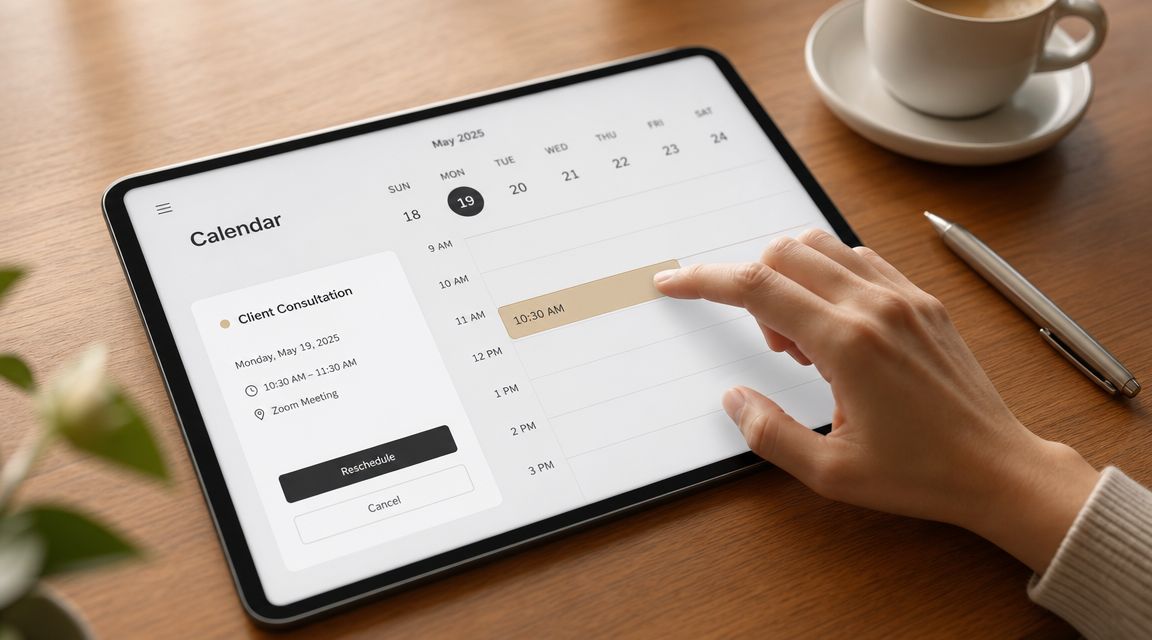
A booking script should reduce friction, not add ceremony.
Too many businesses still make callers wait for a callback just to grab a time slot. That creates drop-off for no good reason, especially for salons, consultations, inspections, and routine service visits.
Booking needs rules, not guesswork
The script should know what can be booked, how long it takes, and what buffers matter.
A salon may need service-specific timing and stylist preference. A law firm may need intake before assigning a consultation. A realtor may need a showing window tied to one property. The script doesn’t need to sound complicated, but the backend rules need to be tight.
Rosie can plug into booking workflows and, in the right setup, book appointments directly into your calendar. That’s a lot better than collecting a note and hoping someone follows up before the lead cools off.
A booking script that actually closes
The strongest booking flow sounds like this:
“I can help with that. I have availability this week. Do mornings or afternoons work better for you?”
That keeps the caller moving toward a decision.
For reschedules, the script should confirm the existing appointment, offer the next matching options, and restate the updated time before ending the call. For cancellations, it should close the loop with a clear confirmation and, when appropriate, offer to rebook.
Daniel Terner of Terner Elder Law, P.L. said, “It can’t be easy to develop a product that is both super-configurable yet also easy to use, Rosie strikes this balance extremely well. My clients are happy and I’m happy, it’s a win/win.”
That’s the sweet spot. Tight process. Natural conversation.
5. Multi-location routing and location-specific script
Multi-location call handling gets messy fast if every caller hits one number and nobody sorts geography early.
The fix is simple. Ask location first, then branch from there. Not at the end. Not after five questions.
Routing starts with geography
If you run multiple branches, service territories, or property clusters, the opening should identify where the caller needs help. For an HVAC company, that may mean nearest branch or ZIP code. For property management, it may mean building name. For a real estate group, it may mean office or market area.
Once location is known, the script can route the call, offer area-specific scheduling, or give branch-specific info on hours and services.
This is one place where generic receptionist scripts fall apart. A single script can still work, but only if it contains branch logic.
What to customize by location
Keep these fields separate by office or territory:
Hours and closures: Holiday and weekend differences matter
Service area rules: Don’t promise coverage where you won’t go
Calendar access: Each location needs its own real availability
Special services: Some branches offer work others don’t
For contractors expanding into nearby cities, this script also prevents weird handoffs where one office promises a service the other doesn’t provide.
Mitchell Bank of Military Cruise Deals said, “After trying several other options, Rosie has been by far the most reliable and helpful for our business. It handles calls smoothly, saves us an incredible amount of time, and gives our customers a great first impression.”
That “great first impression” gets harder to maintain as locations multiply. Routing logic is how you keep it.
6. Lead qualification and information capture script
Here, scripts stop being receptionist notes and start becoming sales tools.
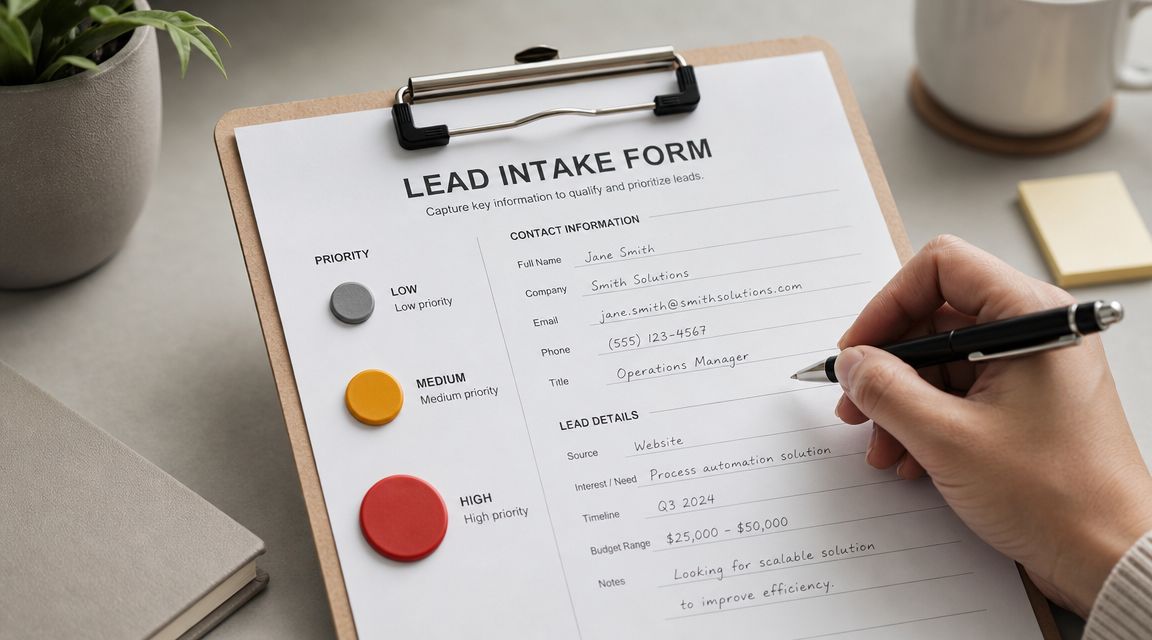
For higher-value work, you don’t just need a callback request. You need enough context to know whether the lead is worth immediate attention, who should take it, and what they should know before they dial.
Don’t just take messages
The ADA’s phone guidance also makes an important point for real-world delivery. Scripts should be adapted until they sound natural rather than read word for word, and callers should leave with a clear next step such as a booking, callback, or transfer, as outlined in the ADA’s patient phone script guidance.
That applies directly to qualification calls.
If you’re a remodeler, ask about project type, timing, and whether the property is owner-occupied. If you’re a law office, ask what kind of matter they’re calling about and whether they’re seeking a consultation. If you’re in real estate, ask whether they’re buying, selling, or both, and what timeline they’re working with.
A qualification script that respects the caller
The trick is to ask enough without sounding like an interrogation.
Use open-ended questions first, then narrow:
Start with the situation: “Tell me a little about what you need help with.”
Check timeline: “Are you looking to get this handled soon, or just gathering options?”
Confirm fit: “Is this for your home, a rental, or a commercial property?”
End with action: “The next best step is a callback from our team” or “I can get you booked now”
If dropped calls or abandoned calls are already hurting your intake, it’s worth reviewing how your current process contributes to that problem. This piece on call abandonment rate is useful context.
And if your sales team is drowning in long first calls, this advice on avoiding lengthy qualification calls lines up with what works in practice. Gather the right details early, then let the closer close.
7. Customer service and account management script
New lead scripts get all the attention.
But existing customers call too, and those calls shape whether they stay, refer, and trust you when there’s a problem. The tone here should be more familiar, more efficient, and less sales-oriented.
Existing customers need a different tone
A current customer calling about billing, warranty coverage, scheduling changes, or service history doesn’t want a generic intake experience. They want to feel recognized and helped.
That means the script should quickly identify whether they’re already a customer, confirm the account name or service address, and sort the issue into a lane. Billing. schedule. update. support. escalation.
Existing customers are not “new inquiries.” Treating them that way annoys them fast.
If your system can pull in account context through your CRM or Zapier-connected tools, even better. Then the script can respond with more confidence and hand off less guesswork.
What this script should capture before handoff
Before escalating to a person, collect the essentials:
Account identifier: Name, phone, email, or service address
Issue type: Billing question, plan change, support issue, or warranty concern
Desired outcome: Refund, explanation, reschedule, technician update, document request
Urgency: Can this wait for office hours or not
Dean Konstantine from McKnight said, “What we love most is how it captures every call and delivers both a full dialog transcript AND the actual recording straight to us. No more wondering what was said or missing important details. Everything is documented perfectly, every time.”
That kind of documentation matters more on support calls than people realize. Customer service gets expensive when nobody has the full story.
8. Promotional offer and special event script
Promotional scripts go sideways when they sound like a radio ad jammed into a service call.
The right move is simple. Only bring up an offer when it matches why the person called.
Promotions should fit the reason for the call
A salon caller asking about color services might be a fit for a seasonal package. An HVAC caller with a tune-up question might be interested in a current maintenance special. A spa caller booking one service may want a package if it’s introduced naturally.
The offer should never interrupt problem-solving. It should follow it.
A good promo line sounds like this: “Since you’re calling about AC service, I should mention we also have our seasonal maintenance option available right now if you want me to include that.”
A soft-sell promo script
Keep promotional scripts grounded in relevance:
Solve first: Answer the original question before mentioning the offer
Match the offer: Only mention promos tied to the caller’s need
Keep pressure low: Present it as an option, not a closing move
Follow up by text: If they’re interested, send details while the call is still live
This is one place where natural-sounding AI matters a lot. If the voice sounds stiff, the promotion sounds scripted in the worst way.
Edgar Quinteros of The Copier Guy said, “The response with callers is so real, sometimes customers don’t know it’s AI.” Ford Wright of Pacific Power Washers drew the line even more clearly: “We have tried other AI receptionists, but they sounded robotic and worse, misspelled contact info, making it worthless.”
That’s the trade-off. A promo script can help fill the calendar. A robotic one can hurt trust.
8-Point Call Script Comparison
Script | 🔄 Implementation Complexity | ⚡ Resource Requirements | ⭐ Expected Outcomes | 📊 Ideal Use Cases | 💡 Key Advantages / Tips |
|---|---|---|---|---|---|
Service Inquiry and Availability Check Script | Low–Medium: AI training + calendar hookup | Moderate: service data, calendar/Zapier, bilingual setup | High ⭐⭐⭐: consistent info, more bookings | Home services, salons, service-based businesses | Train on website/GBP, keep availability updated, create FAQs |
Pricing and Quote Request Script | Medium: structured intake forms and pricing rules | Moderate–High: pricing maintenance, templates, follow-ups | High ⭐⭐⭐: accurate quotes, qualified leads | HVAC, roofing, construction, real estate | Use standard templates, flag complex jobs, update prices often |
Emergency Service and Priority Call Transfer Script | Medium–High: emergency criteria & fast routing logic | High: on-call staffing, multiple transfer channels, testing | Critical ⭐⭐⭐⭐: faster response, prioritized emergencies | 24/7 plumbing/electrical, pest control, medical/legal | Define emergencies clearly, test transfers, maintain backups |
Appointment Booking and Rescheduling Script | Medium: calendar integration & conflict handling | Moderate: calendar/Zapier, reminder systems, buffer rules | High ⭐⭐⭐: fewer no-shows, reduced admin load | Salons, spas, medical offices, real estate showings | Integrate calendars, set buffers, send automated reminders |
Multi-Location Routing and Location-Specific Script | High: per-location setup and routing complexity | High: location data, branch calendars, routing rules | High ⭐⭐⭐: correct routing, local relevance, scalable | Franchises, regional service chains, property management | Use location tags/profiles, train on local details, separate calendars |
Lead Qualification and Information Capture Script | Medium–High: detailed question flows & scoring | Moderate: CRM integration, lead scoring config, scripts | High ⭐⭐⭐: prioritized leads, efficient sales follow-up | Construction, real estate, law firms, high-ticket services | Focus 3–5 key questions, use lead scores, provide transcripts |
Customer Service and Account Management Script | Medium: account access, escalation flows | High: CRM/customer DB access, security & escalation paths | High ⭐⭐⭐: faster resolutions, improved retention | Subscription services, recurring service providers, property mgmt | Integrate CRM, define escalation, collect feedback (NPS) |
Promotional Offer and Special Event Script | Low–Medium: dynamic offer insertion & tracking | Low–Moderate: promo management, tracking codes, messaging | Moderate ⭐⭐: increased AOV if well-targeted | Salons, seasonal home services, retail, event businesses | Match offers to inquiry, keep tone consultative, track conversions |
Make your phone your #1 sales tool
Answering the phone shouldn’t feel like a second job.
With the right scripts, it stops being a constant interruption and starts acting like part of your sales process. Calls get answered the same way every time. Good leads get qualified. Urgent problems get routed fast. Existing customers get helped without your team scrambling for context.
That matters because the phone is still where a lot of high-intent business happens. Someone calling your shop usually wants something now. They want to know if you can do the work, how soon you can help, what it might cost, or whether they should trust you with the next step.
A weak script creates friction right at that moment. It sounds vague. It puts people on hold without context. It collects half the details and leaves the rest for someone else to clean up later. That’s how jobs slip away.
A strong script does the opposite. It gives the caller confidence right away, captures what your team needs, and closes with a clear next action. That action might be a booked appointment, a priority transfer, a quote follow-up, or a text with the right link. The point is that the caller leaves the conversation knowing what happens next.
For many small businesses, AI offers key assistance when configured correctly. Not as a message pad. As a working front line that answers questions, qualifies leads, books appointments, and transfers the right calls. Rosie fits that use case for local businesses that need coverage without hiring a full-time receptionist.
Derek Goodson put the business case in plain English: “Rosie has given me the capacity to scale without hiring.” That’s a useful way to think about it. Not as a gadget. As extra call-handling capacity that doesn’t disappear when you’re on a job, driving, at lunch, or closed.
If you rely on inbound calls, your scripts for answering phone calls deserve the same attention you give your website, ads, and follow-up. They’re not filler. They decide whether the lead turns into work.
Use the scripts above as your baseline. Tighten them around your actual services, service area, hours, urgency rules, and booking process. Then test them against real calls until they sound natural and get the outcome you want.
That’s when your phone stops costing you business and starts bringing it in.
If you’re ready to stop sending callers to voicemail and start giving every lead a real next step, Rosie is worth a look. She can answer calls around the clock, qualify leads, answer questions from your business knowledge, book appointments, and transfer priority calls so your team stays focused on the work that needs a human.
FAQ
What should a phone answering script always include
At minimum, it should include a clear greeting, the business name, a quick way to understand why the person is calling, and a way to capture callback details in case the call drops.
It should also end with a next step. That might be a booking, a transfer, a callback promise, or a text follow-up. If the caller hangs up not knowing what happens next, the script is unfinished.
Should scripts be read word for word
No. They should sound natural.
The script is a framework, not a theater script. You want consistency in the important parts like greeting, intake, urgency checks, and closing. But the actual delivery should sound like a normal conversation, not a memorized speech.
How do I handle missed calls after hours
Use a separate after-hours script.
It should identify whether the issue is urgent, collect contact info, promise a clear next step, and route true emergencies according to your on-call rules. Don’t use the same script for daytime calls and after-hours calls. The caller’s expectations are different, and the options available to you are different too.
Can AI really handle business calls without sounding robotic
It can, but only if the setup is good.
The voice, greeting, FAQs, service details, routing logic, and call scenarios all matter. Bad AI sounds stiff, misses details, and frustrates callers. Well-configured AI can sound natural, answer common questions accurately, and move the call toward a useful outcome instead of just taking a message.